Newsletter
How to change language of Autel MP808TS
Matched product:
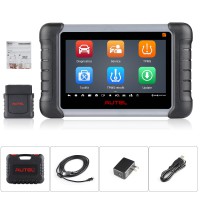
Autel MaxiPRO MP808Z TS MP808Z-TS Diagnostic Scanner Support Oil Reset DPF Regeneration/ TPMS/ ABS/ SRS/ EPB WiFi & Bluetooth
Latest price:£749£54927% off
- Item No. SP316
- Out Of Stock
MaxiPRO MP808Z TS delivers complete diagnostic functions and comprehensive TPMS solutions for all the covered makes and models.
It can read/clear codes for all available systems, and supports many special functions, such as: ABS/SRS, EPB Service, Oil Reset Service,SAS Service, TPMS Service and DPF Regeneration Service,ec
It can read/clear codes for all available systems, and supports many special functions, such as: ABS/SRS, EPB Service, Oil Reset Service,SAS Service, TPMS Service and DPF Regeneration Service,ec
Here is the Steps how to change language:
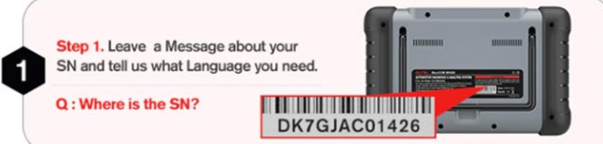
Step 1: Offer the SN of your Autel MP808TS diagnostic tool and the language you want to customer service
Note: the Serial number can be found on the back of the device is shown as below.
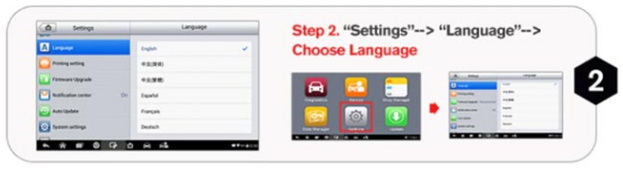
Step 2: Enter MP808TS tablet, select “Settings”->” Language”-> Choose language
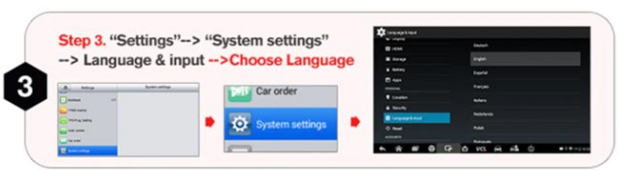
Step 3: Select “Settings”-> “System settings”-> Language & input-> Choose language
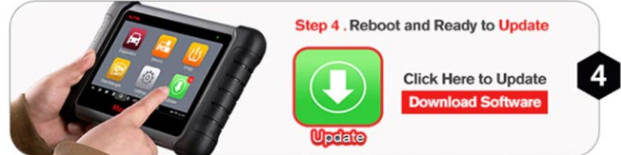
Step 4: Reboot and ready to update