

Auto 6% OFF LAUNCH X-431 PRO3S+ V2 with Smartlink V4 Android 15.0 New Energy Overseas Online Diagnostics Configuration
Buy Now: £1,093
Free Shipping No Tax !
LAUNCH X-431 BLACK FRIDAY SALE!
AUTO 6% OFF !
NOV 5 – NOV 30
Whatsapp +86 13983755934
LAUNCH X-431 BLACK FRIDAY SALE!
AUTO 6% OFF !
NOV 5 – NOV 30
Whatsapp +86 13983755934
Shipping:
Free Shipping
Express Shipping ServiceEstimated delivery time: 3-5 working days.See details »
Weight:
14.4KG
Package:
43.5cm*37.2cm*34.4cm
( Inch: 17.08*14.61*13.51 )
Returns:
Return for refund within 30 days,buyer pays return shipping. Read details »
Product Description
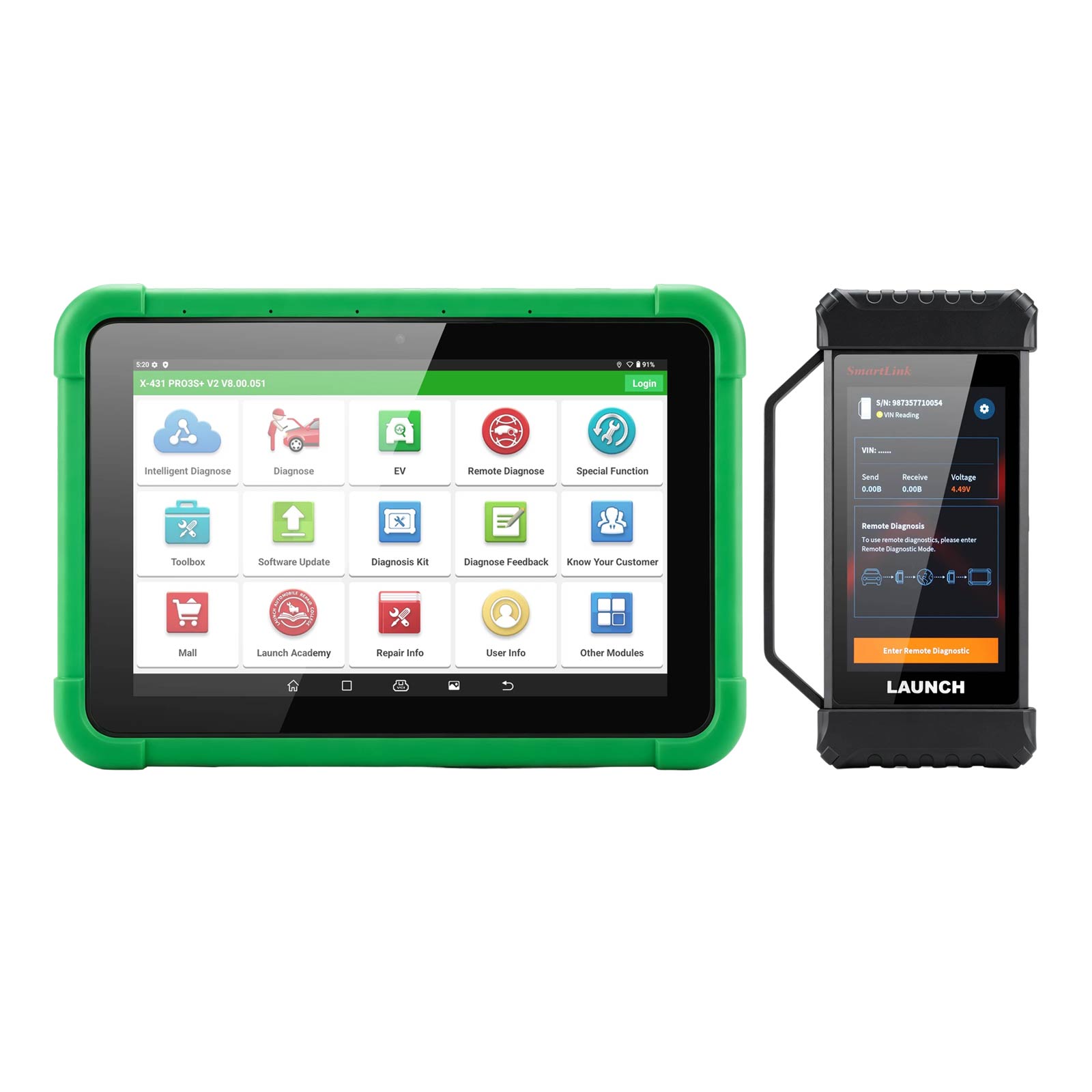
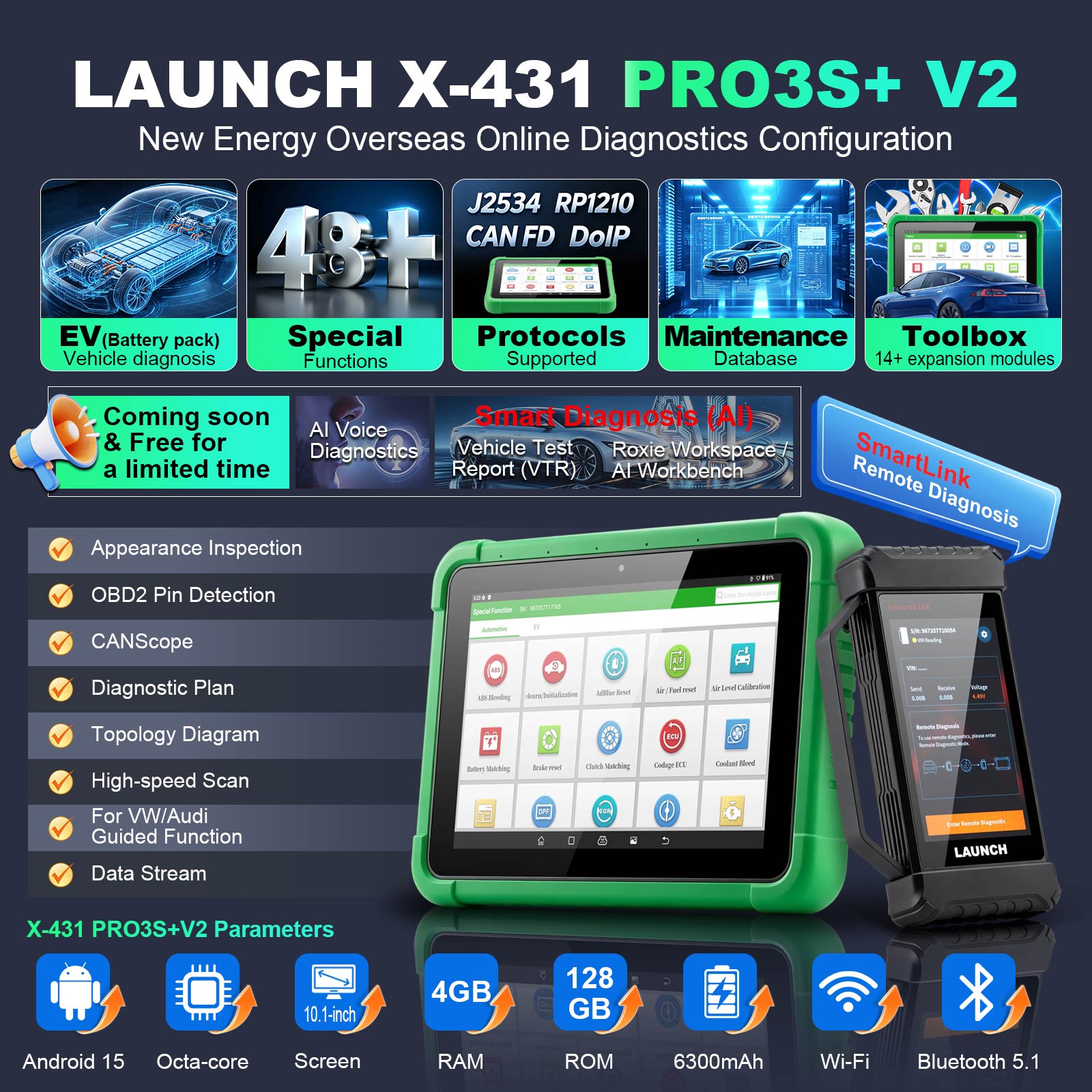
The LAUNCH X-431 PRO3S+ V2 is a new-generation NEV diagnostic tool powered by Android 15.0, with an octa-core processor, 4GB RAM + 128GB ROM, and a high-endurance battery. It supports whole-vehicle and battery diagnostics, with Smartlink V4 WIFI, J2534, RP1210, CANFD and DOIP.
LAUNCH X-431 PRO3S+ V2 New Energy Diagnostics Tool
Launch X-431 PRO3S+ V2 Description:
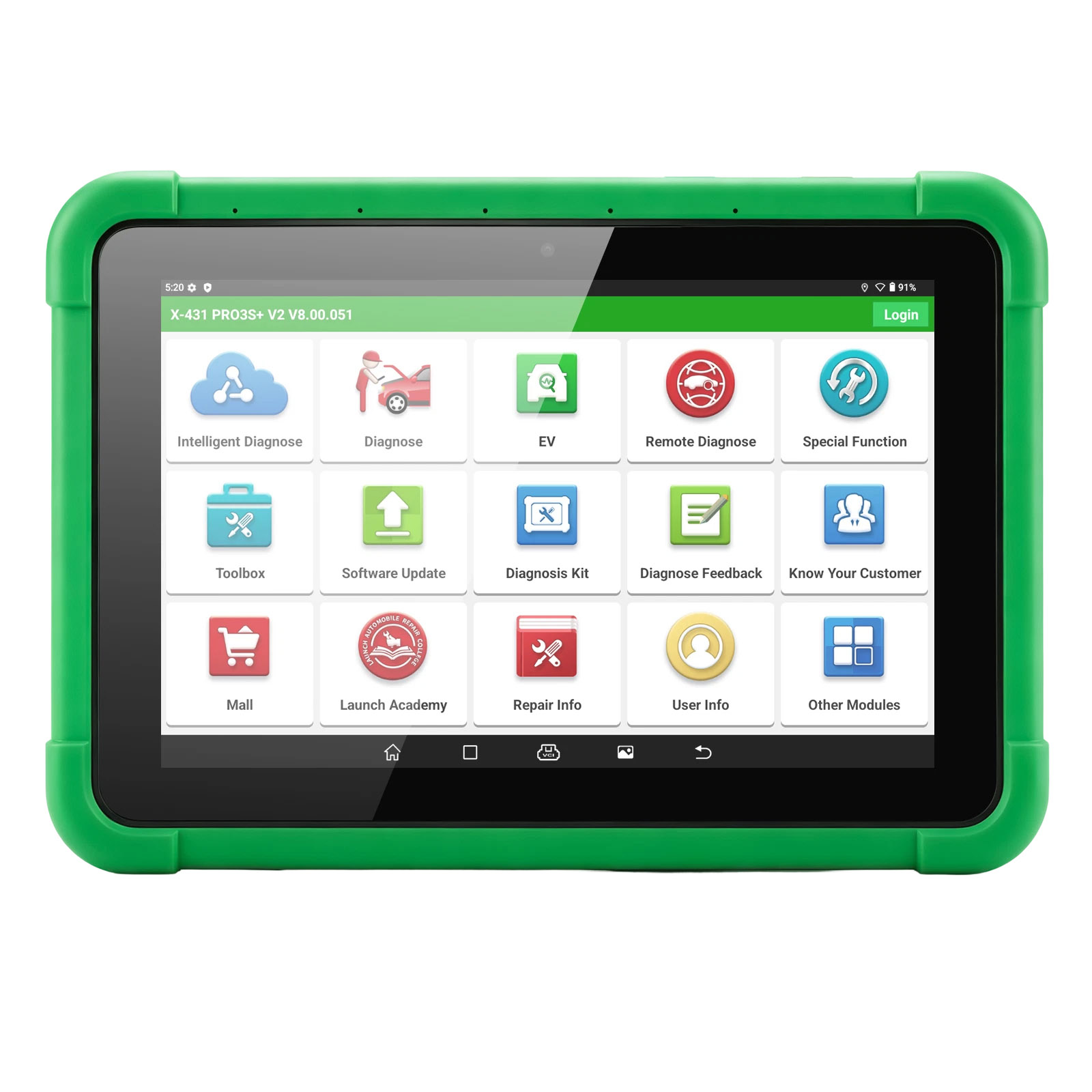
The LAUNCH X-431 PRO3S+ V2 is a new-generation new energy diagnostic device built on the Android 15.0 system. It features an octa-core high-efficiency processor, 4GB RAM + 128GB ROM large storage, and a high-endurance battery, delivering faster, more stable, and longer-lasting performance.
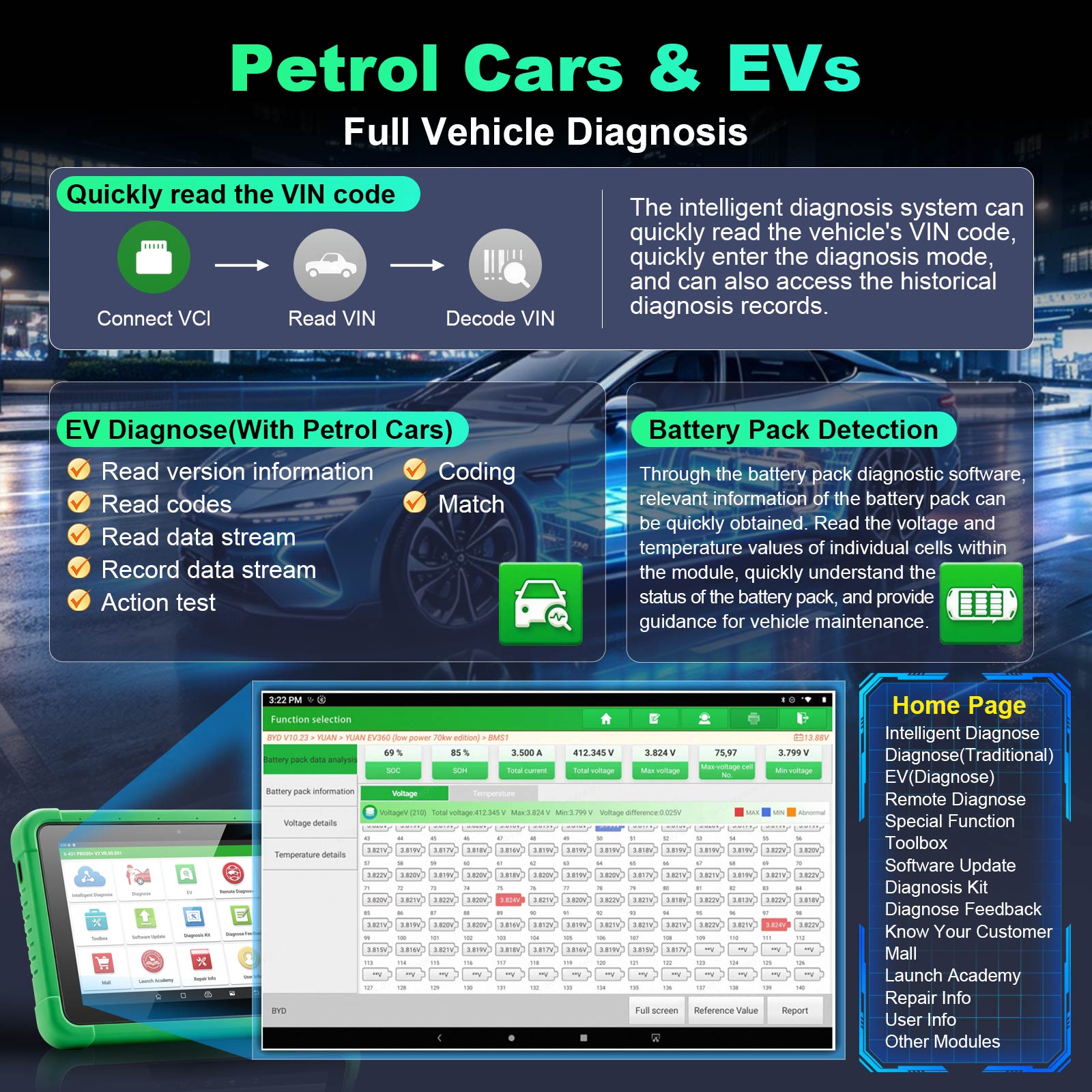
It integrates new energy vehicle whole-vehicle diagnostics and battery pack diagnostics, accurately reading cell voltage and temperature data, intelligently calculating voltage differences, and quickly locating faults, making it an essential tool for new energy vehicle repair.
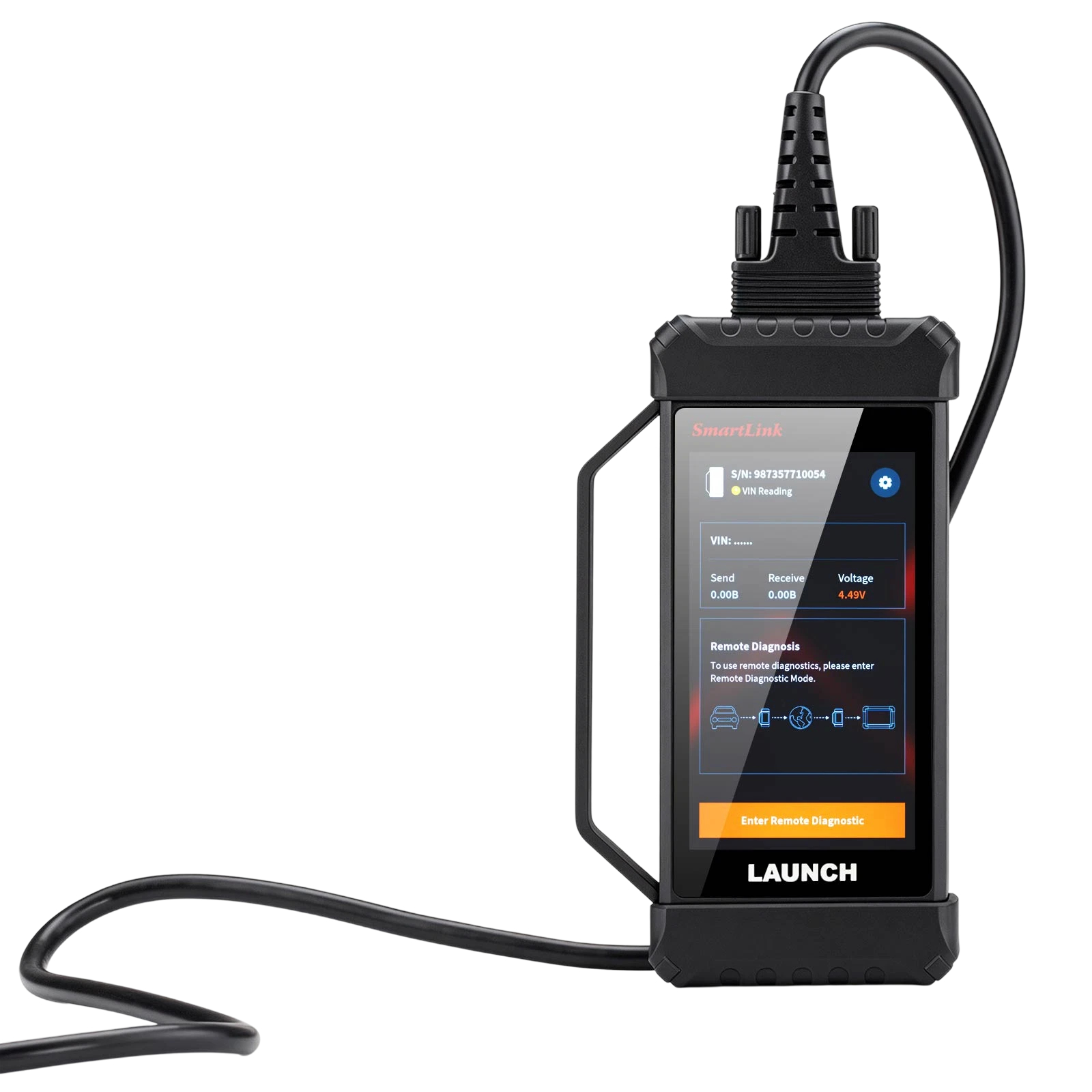
Equipped with the latest Smartlink V4 WIFI diagnostic connector, it supports J2534, RP1210, CANFD, and DOIP protocols.
LAUNCH X-431 PRO3S+ V2 Advantages:
Data Stream
Main unit upgrade from PRO3 V5 solution to PRO3 V6 solution:
- Android 10 → Android 15: System upgrade for a more advanced system experience.
- 2.0GHz quad-core → octa-core (2.0GHz dual-core + 1.8GHz hexa-core): Enhanced with a powerful chip, delivering significantly stronger computing performance.
- Storage 64GB → 128GB: Doubled capacity.
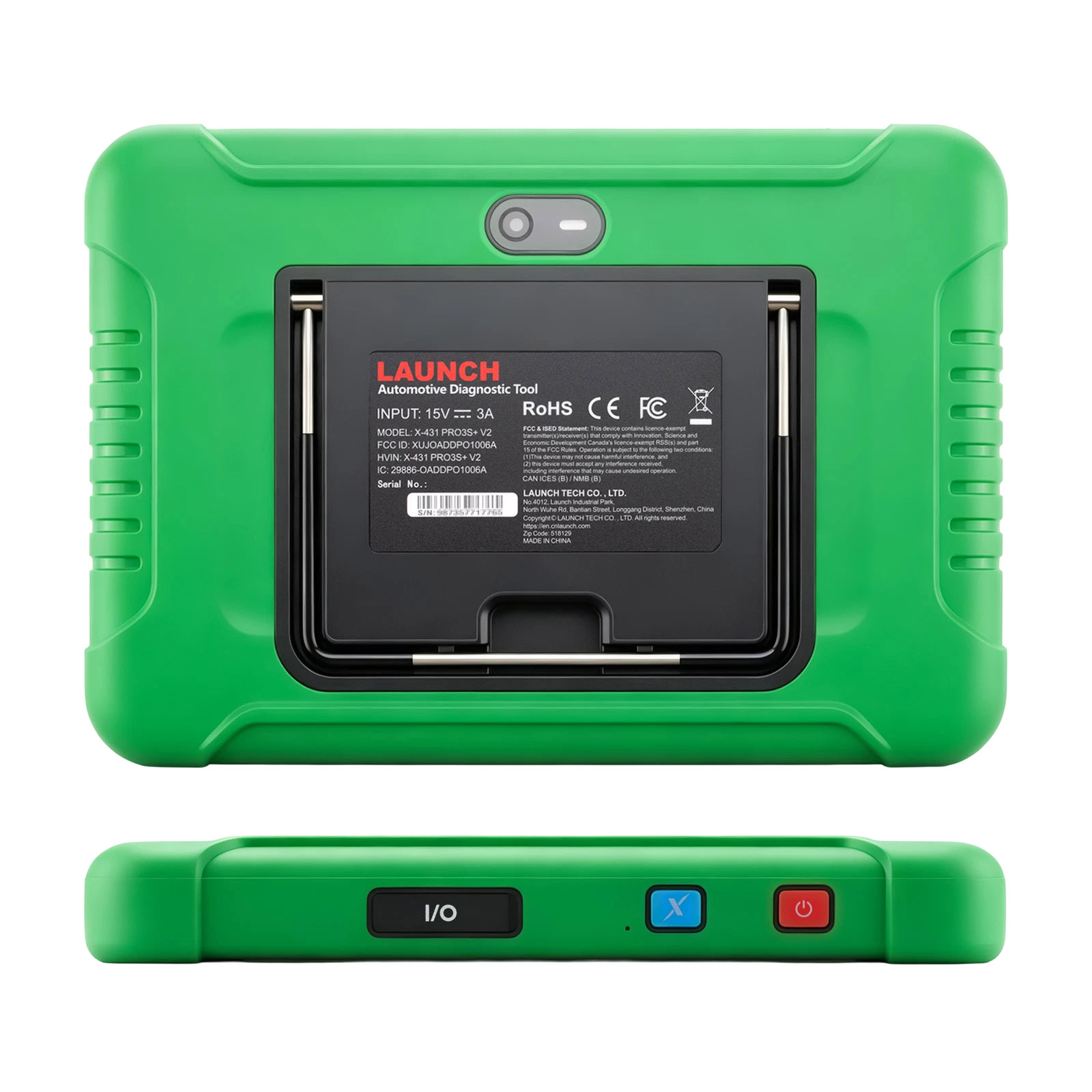
- Upgraded front and rear dual cameras: 5MP front camera and 8MP rear camera.
- 45W fast charging: Shorter charging time, with charging speed increased by nearly 40%.
- Added charging indicator light: Battery status at a glance.
- Added "X" shortcut key: Customizable one-touch access to functions such as voice diagnostics, intelligent diagnostics, and X-431 FIX.
- Supports screen mirroring via USB-to-HDMI cable, providing more stable mirroring performance (USB-to-HDMI cable sold separately).
- Equipped with 4 linear microphones and a 3W speaker, a professional-grade voice diagnostic configuration.
Smartlink V2 connector upgraded to Smartlink V4:
- Performance leap: CPU upgraded from single-core to dual-core, with clock speed increased to 1.7 GHz, and RAM expanded from 256 MB to 1 GB for faster processing and response. CAN bus upgraded to 4-channel CAN FD for enhanced communication capabilities.
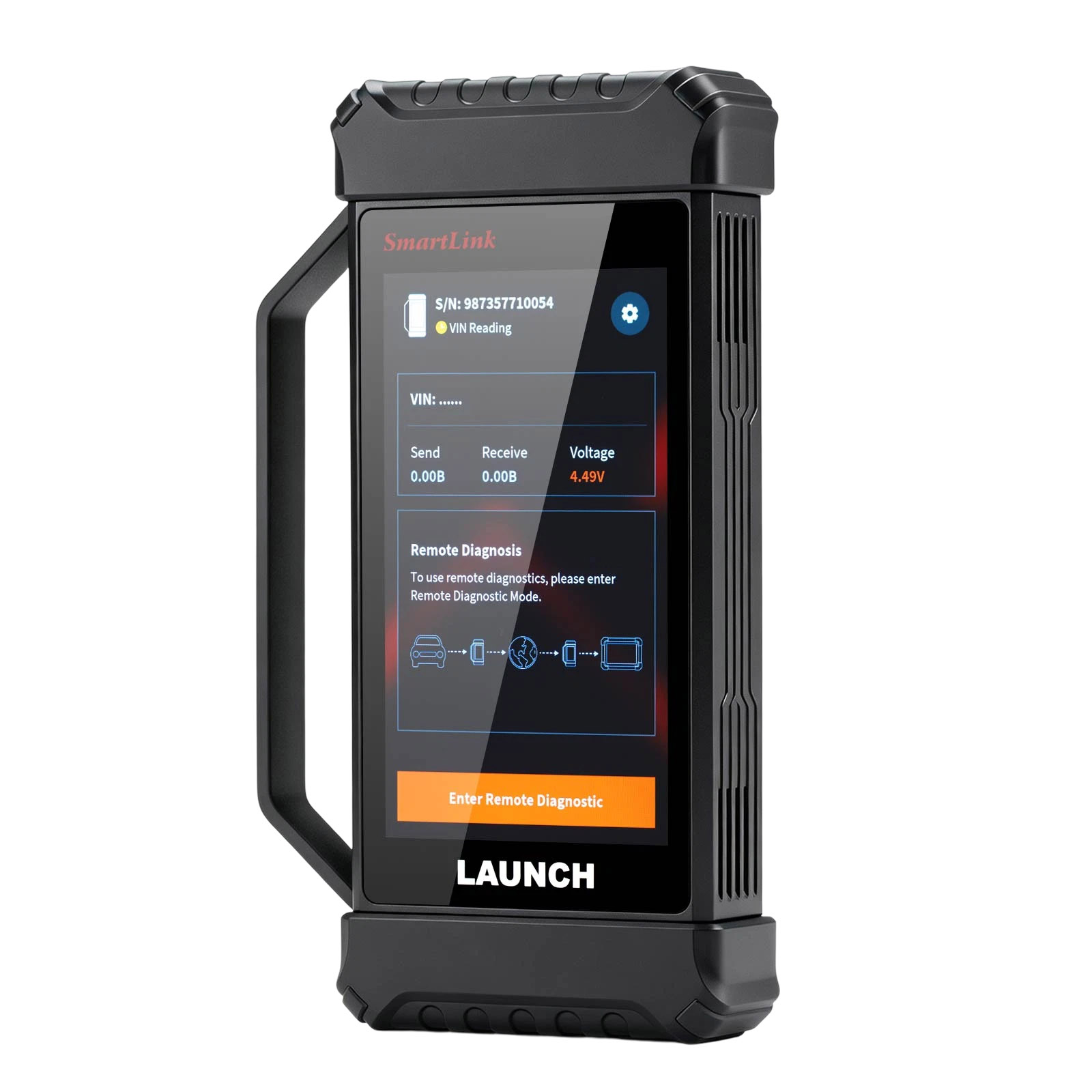
- Refreshed interactive experience: Features a 5-inch 1280×720 touchscreen with a brand-new UI design, significantly improved screen-to-body ratio, and a slimmer, more compact form factor for a better visual and operational experience.
- Better connectivity and signal strength: Wi-Fi module upgraded to Wi-Fi 6 protocol, with dual antennas for enhanced signal strength. Diagnostic communication speed tested to improve by 20% (data for reference only).
- Practical functional upgrades: Added auto-VIN-read function upon connector power-on; added cooling fan that automatically activates based on core temperature; supports USB power supply, allowing the host to connect to the VCI via USB cable for upgrades.
Launch X-431 PRO3S+ V2 Features:
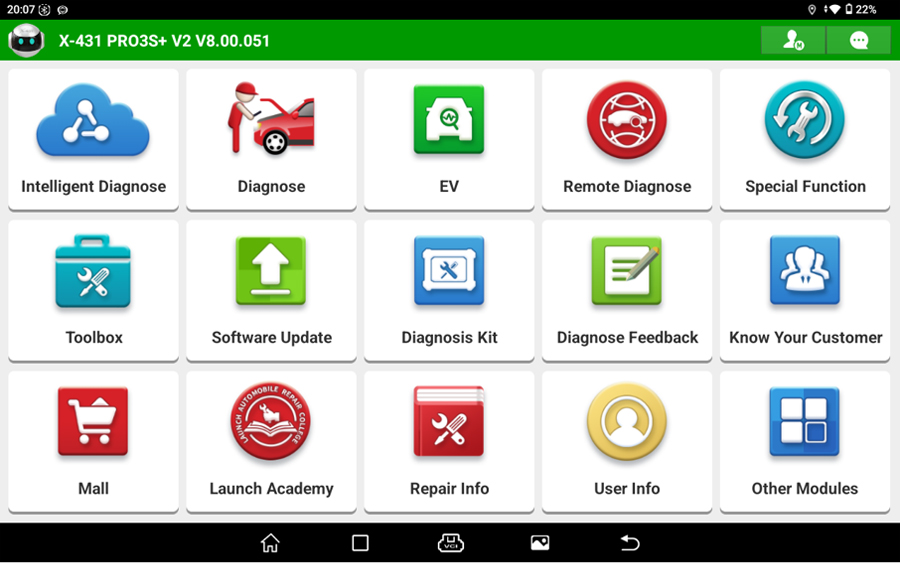
1. Intelligent Diagnosis & Traditional Diagnosis
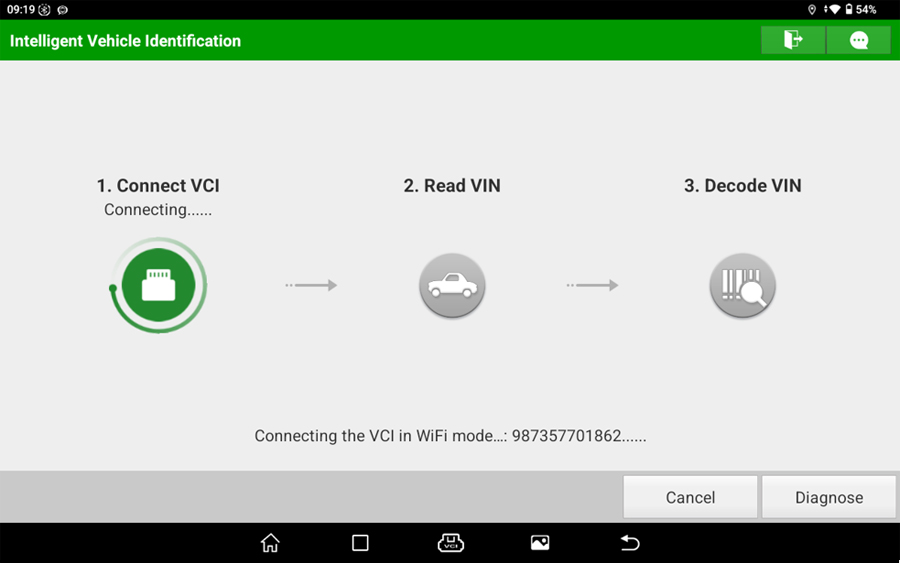
With over 20 years of accumulated expertise in automotive diagnostics, LAUNCH has pioneered the development of Intelligent Diagnosis technology. Through "Intelligent Diagnosis", users can quickly read the vehicle VIN, rapidly access diagnostic sessions, and review historical diagnostic records.
It supports full-system basic diagnostic functions for 97+ vehicle brands worldwide, including reading version information, reading fault codes, clearing fault codes, reading data streams, actuator tests, coding, adaptation, and more. It also enables data stream reading and recording, helping to quickly pinpoint faults.
2. New Energy Diagnostics
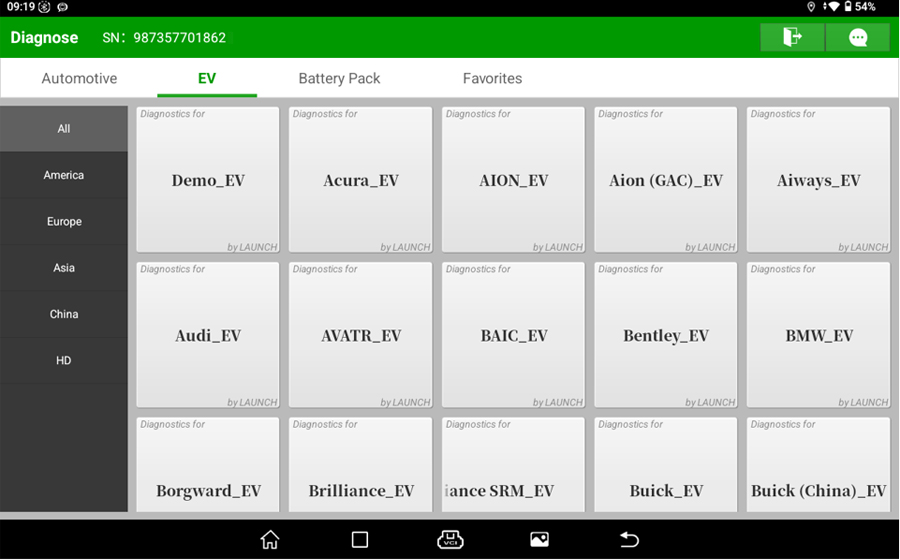
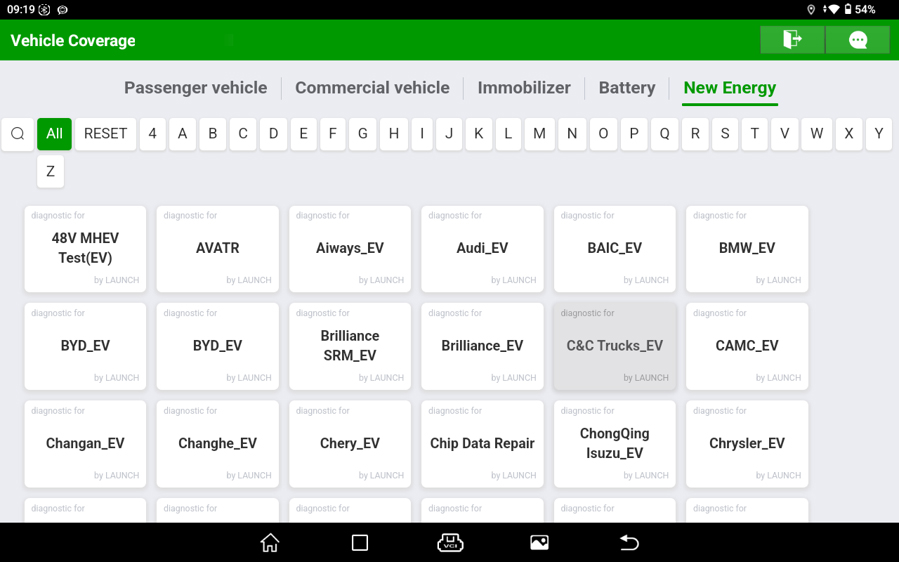
By comparing the differences between new energy vehicles and traditional vehicles, we have optimized the diagnostic software logic for whole-vehicle diagnostics, improving diagnostic speed and enhancing the diagnostic experience while ensuring diagnostic accuracy. A variety of vehicle diagnostic software has been developed, such as BYD, XPeng, Leapmotor, NETA, Roewe, GAC, BAIC New Energy, Zeekr, etc., achieving a vehicle model coverage rate of over 95%.
More vehicle models are continuously being updated...
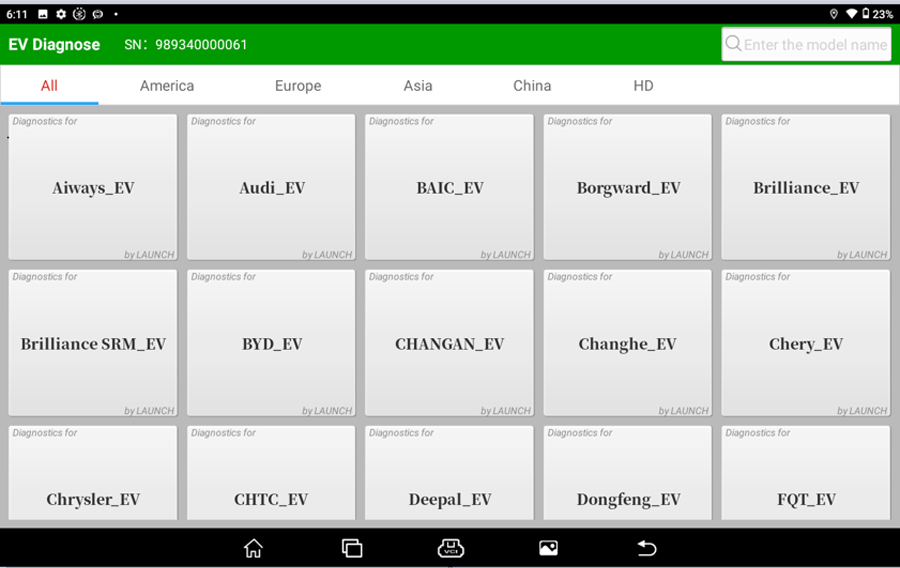
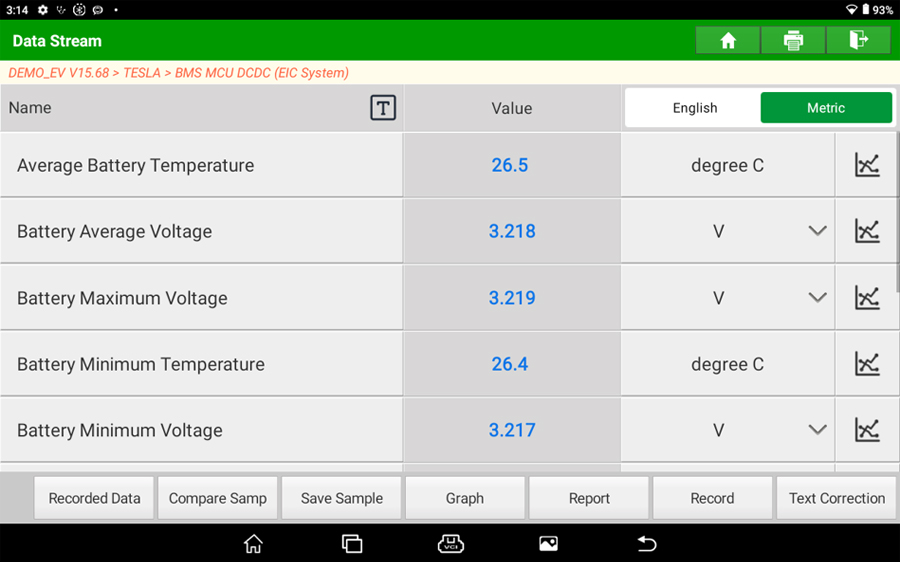
3. New Energy Whole-Vehicle Diagnostics
Through battery pack data streams, fault causes can be precisely identified, improving inspection and repair efficiency.
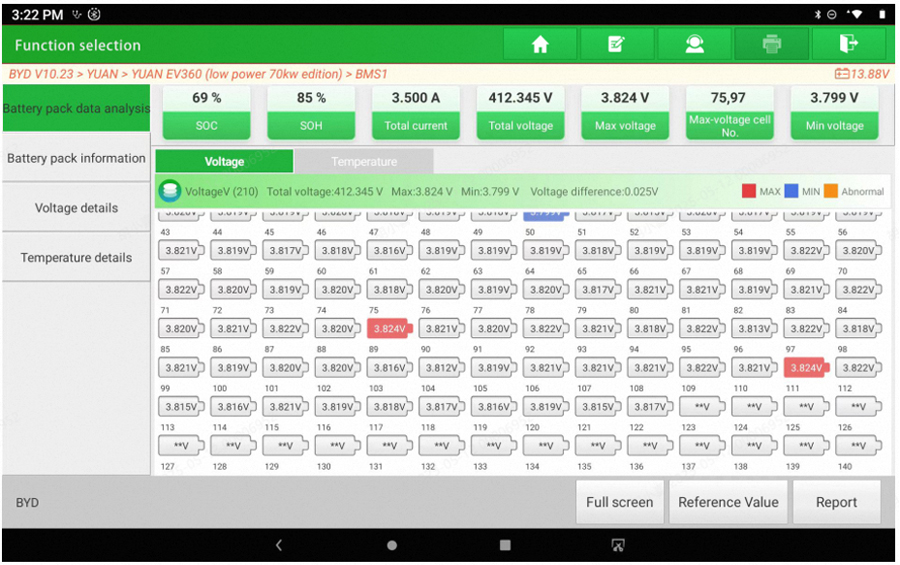
4. New Energy Battery Pack Diagnostics
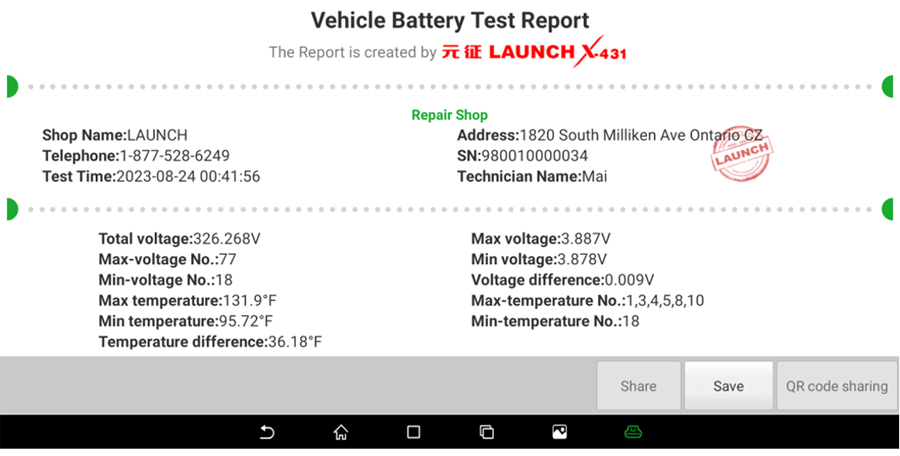
The battery pack is an important component of new energy vehicles, and testing the battery pack is one of the key steps in new energy vehicle inspection. Through the battery pack diagnostic software, battery pack information can be quickly read, including but not limited to the number of battery pack modules, SOC, SOH, current temperature, etc. It can also read the voltage and temperature values of individual cells within each module, helping repair personnel quickly understand the battery pack status and providing guidance for subsequent repair.
Supports generating diagnostic reports, as well as report sharing and printing.
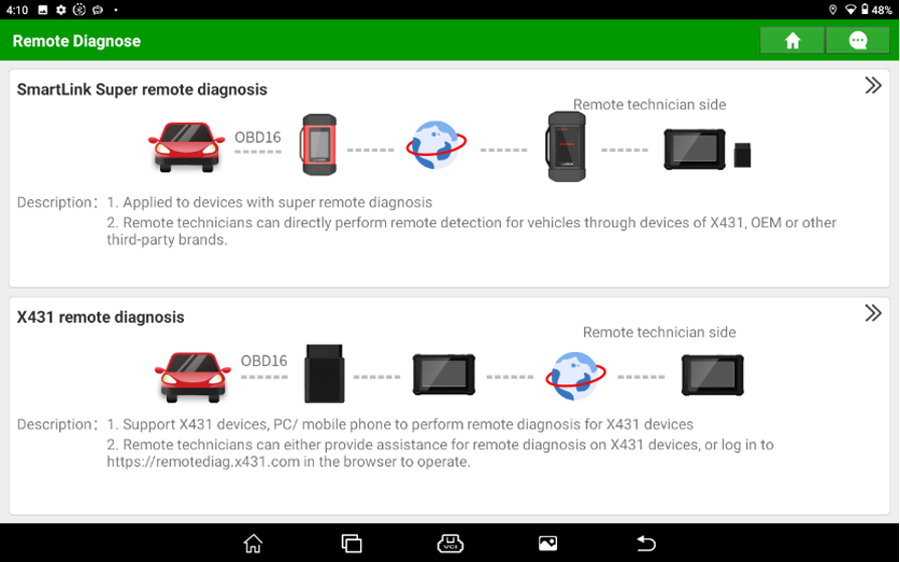
5. SmartLink Remote Diagnosis & X-431 Remote Diagnosis
The SmartLink C Remote Diagnostic Dongle is compatible with LAUNCH diagnostic tools, OEM dealer-level equipment, and third-party diagnostic devices for remote diagnostics. It is not constrained by the hardware or software limitations of the workshop-side device, enabling comprehensive diagnosis of various automotive issues.
X-431 Remote Diagnosis is a patented, independently developed remote diagnostic solution. Leveraging web-based remote technology, it facilitates real-time communication between mobile devices/PCs and diagnostic tools for remote vehicle diagnosis, while maintaining minimal network bandwidth and system resource usage.
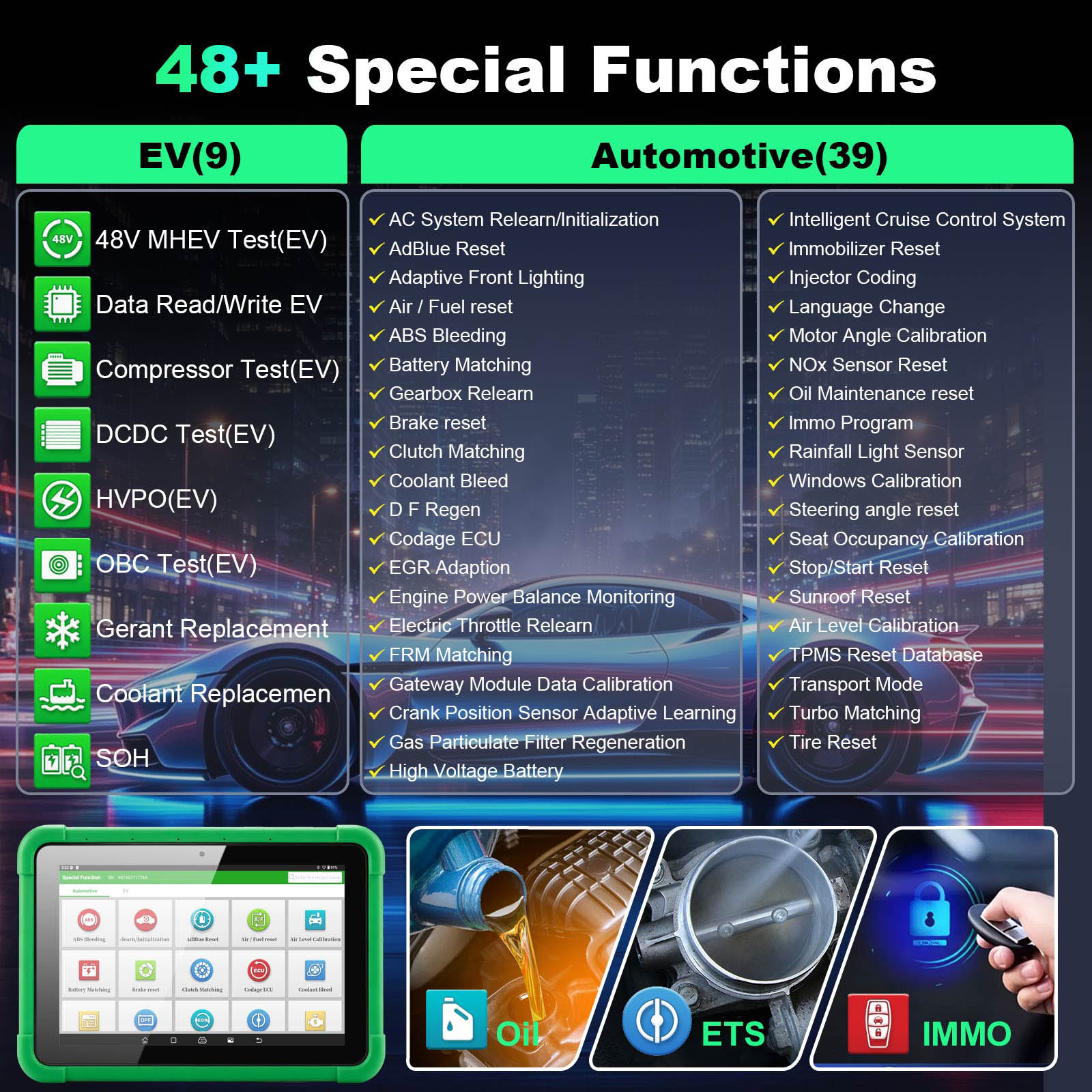
6. 48 Special Functions
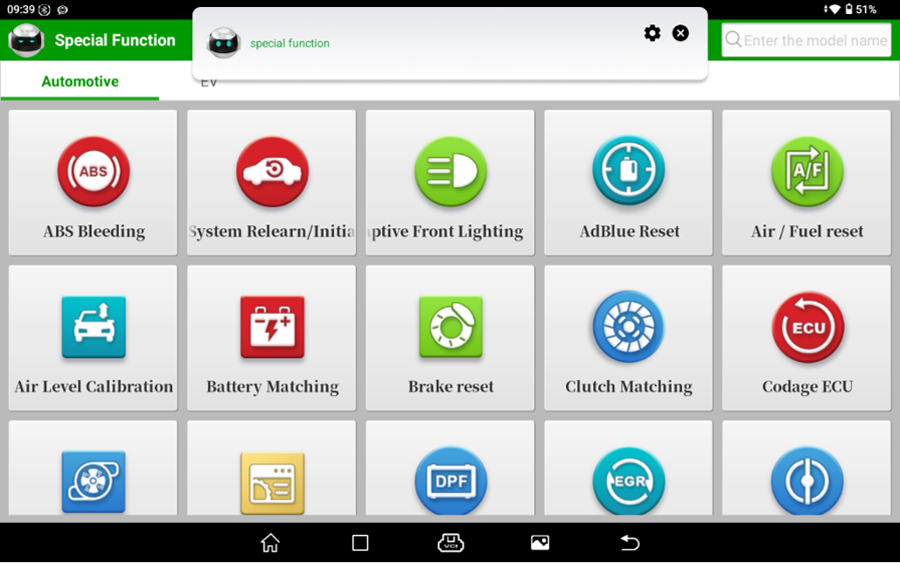
Supports commonly used 48 special functions for most vehicle models, such as: new energy air conditioning compressor testing, coolant replacement, high-voltage power-off, on-board charger offline testing, DC-DC converter offline testing, 48V mild hybrid component testing, chip data repair, maintenance light reset, throttle matching, steering angle reset, brake pad reset...
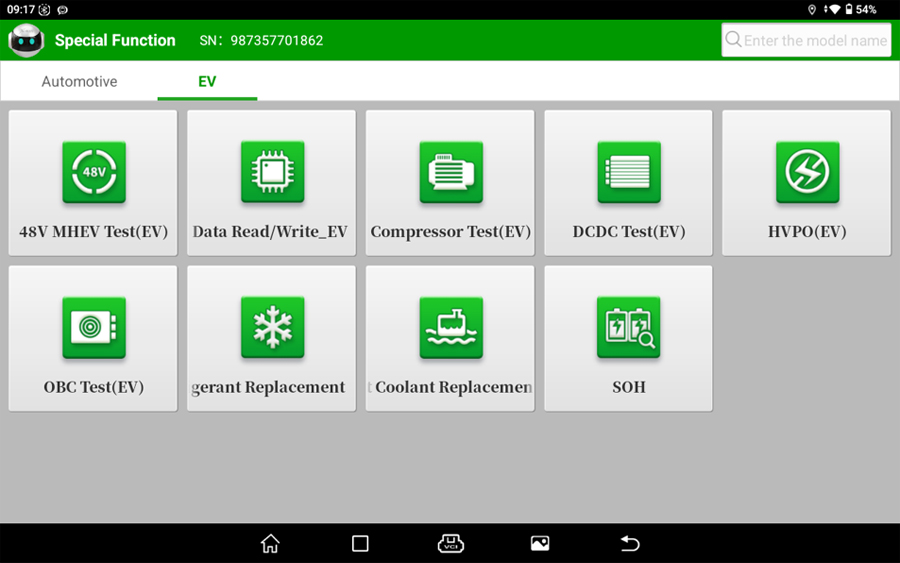
The list of 48 special functions is as follows:
Refrigerant Replacement, DCDC Test(EV), Reset Coolant Replacement_EV, HVPO(EV), Chip Data Read/Write_EV, 48V MHEV Test(EV), Compressor Test(EV), OBC Test(EV), SOH, AC System Relearn/Initialization, AdBlue Reset, Adaptive Front Lighting, Air / Fuel reset, ABS Bleeding, Battery Matching, Gearbox Relearn, Brake reset, Clutch Matching, Coolant Bleed, DPF Regen, Codage ECU, EGR Adaption, Engine Power Balance Monitoring, Electric Throttle Relearn, FRM Matching, Gateway Module Data Calibration, Crank Position Sensor Adaptive Learning, Gas Particulate Filter Regeneration, High Voltage Battery, Intelligent Cruise Control System, Steering angle reset, Immobilizer Reset, Seat Occupancy Calibration, Injector Coding, Stop/Start Reset, Language Change, Sunroof Reset, Motor Angle Calibration, Air Level Calibration, NOx Sensor Reset, TPMS Reset Database, Oil Maintenance reset, Transport Mode, IMMO Program, Turbo Matching, Rainfall Light Sensor, Tire Reset, Windows Calibration...
Note:
- The immobilizer programmer is in the toolbox;
- Adding RESETMVIN multi-system multi-VIN detection, the total can be counted as 40, which is located within the diagnosis kit.
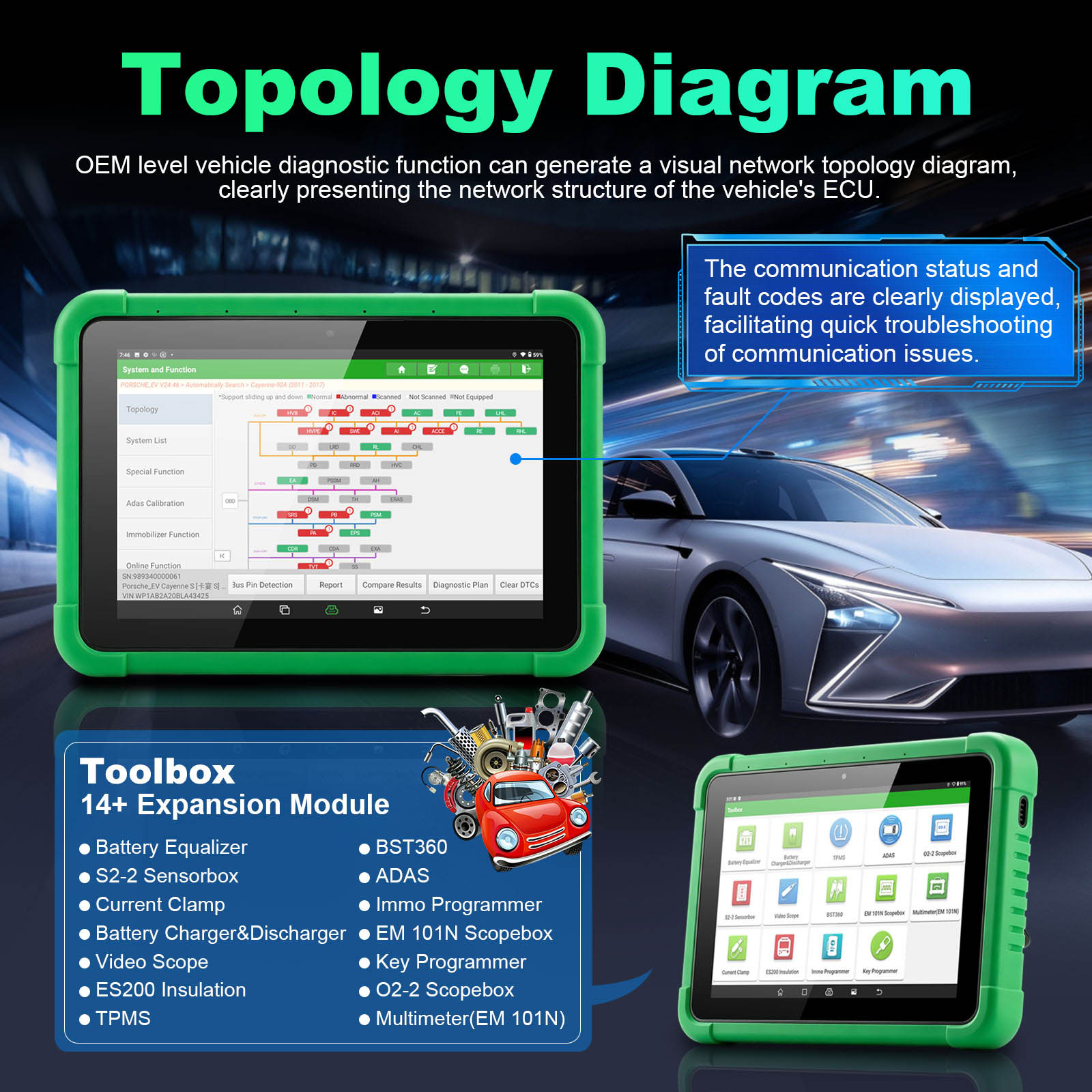
7. Toolbox
Supports integration with 14+ expansion modules, including TPMS diagnostic tools, ADAS calibration equipment, oscilloscopes, sensors, endoscopes, battery testers, current clamps, insulation testers, immobilizer programmers, key programmers, and more, making diagnostic functions even more powerful.
8. Diagnosis Kit
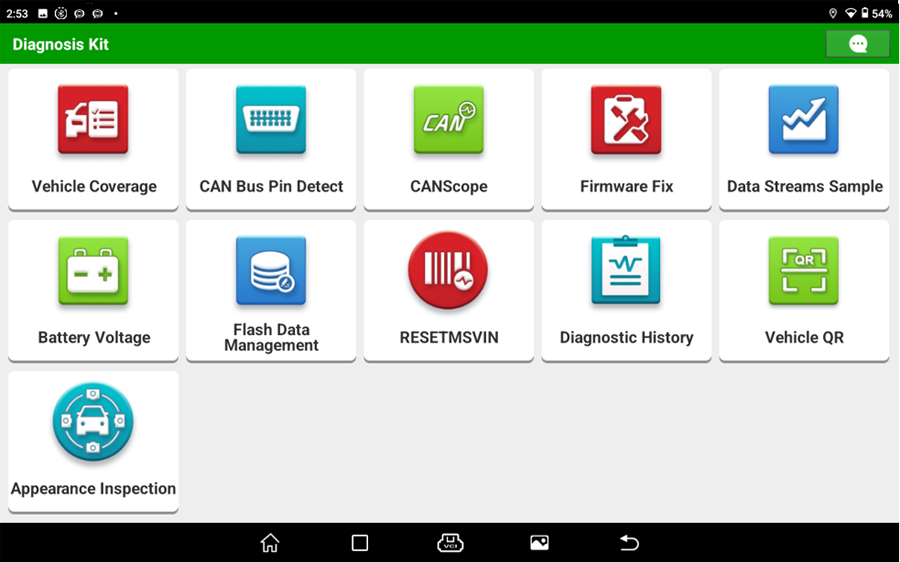
Supports a variety of utility tools to assist with repairs, including Vehicle Coverage, CAN BUS Pin Detect, CANScope, Firmware Fix, Data Stream Sample, Battery Voltage, Flash Data Management, RESET MSVIN, Diagnostic History, Vehicle QR and Appearance Inspection.
9. Vehicle Coverage
Supported brands, vehicle models, systems, and functions can be queried online at any time.
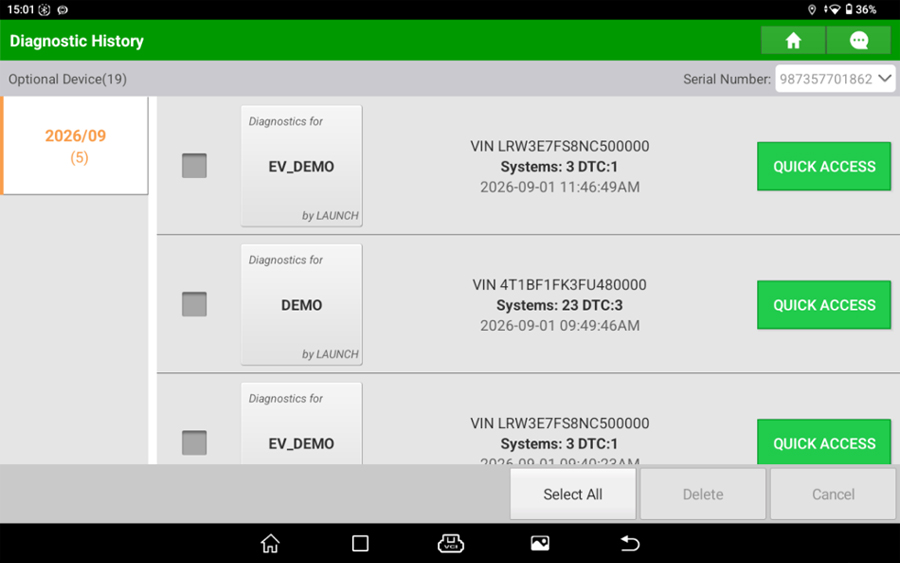
10. Diagnostic History
Each diagnostic session automatically generates a vehicle diagnostic record for easy viewing and comparison at any time, helping to locate faults.
11. Diagnose Feedback
If users encounter vehicle model–specific issues or functional anomalies under special circumstances during use, they can submit feedback to LAUNCH through the Diagnostic Feedback feature. Dedicated technical personnel will then track and address the issues in a timely manner.
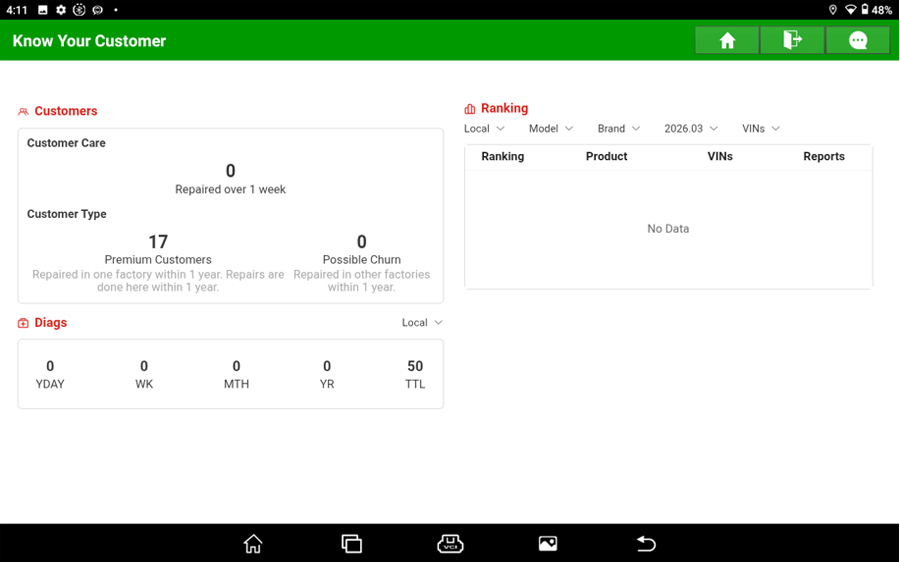
12. Know Your Customer
Helps businesses with opportunity analysis, customer management, and diagnostic statistics.
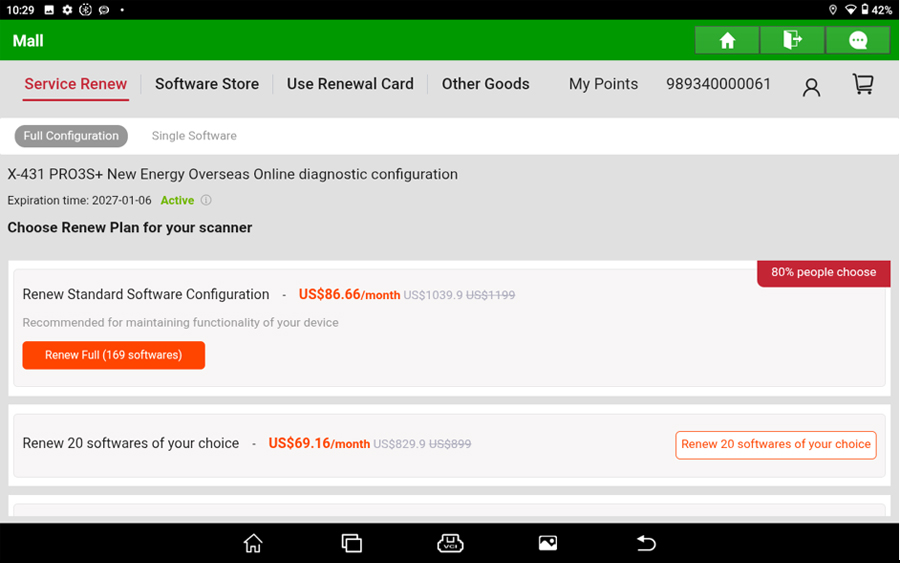
13. Mall
Software package purchases (including Immobilizer, Motorcycle, New Energy Vehicle, and Commercial Vehicle packages), individual software purchases, configuration renewals, gateway unlock permissions, and more can all be completed through the Mall.
14. User Info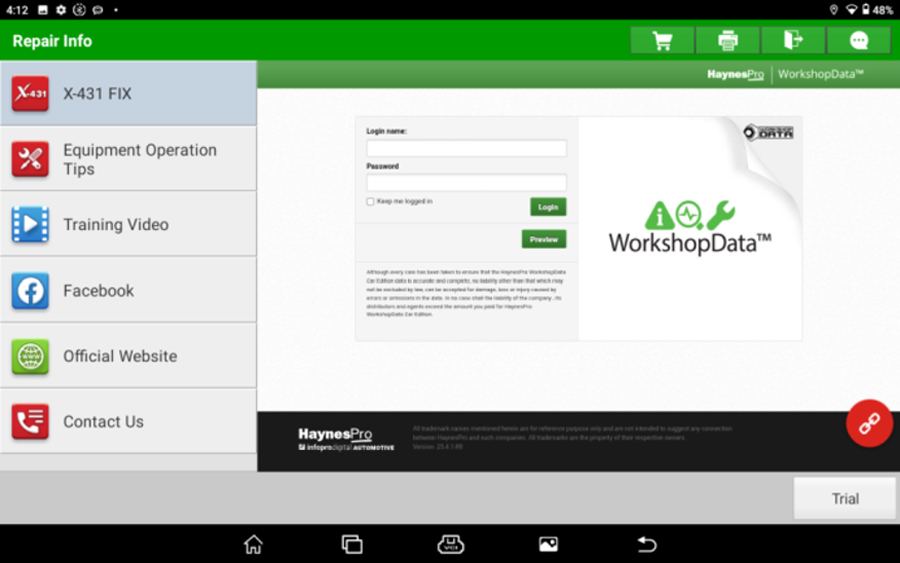
14. User Info
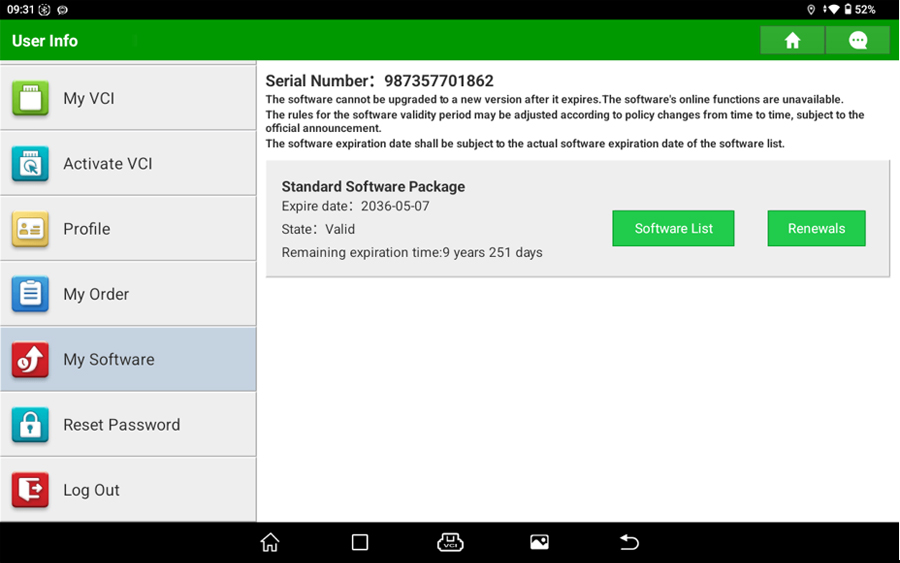
Here you can manage reports, activate VCI, manage personal information, and reset passwords.
You can also view the configuration software and the expiration dates of purchased extended software packages, and renew them as needed.
15. SGW Gateway
Supports purchasing unlock authorization for Fiat, for Chrysler, for Renault, and for Mercedes-Benz SGW gateways through the Mall.
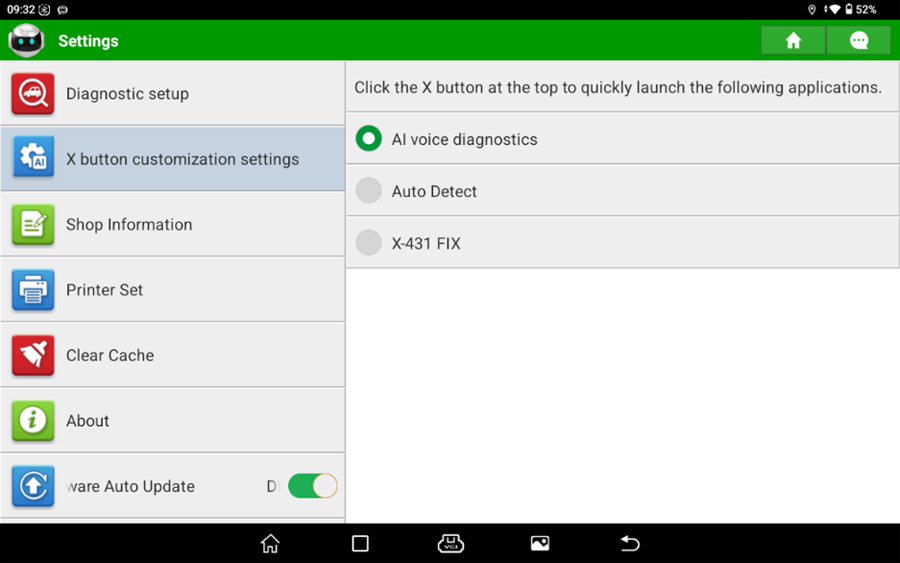
16. Setting
Here you can configure settings for the voice assistant, X key, printing, and other information.
The X key can be customized to enter the voice assistant, intelligent diagnostics, or X-431 FIX functions according to customer-defined functions.
Diagnostic settings allow you to set preferences such as whether reports include version information, whether to automatically connect to the connector for diagnostics, and whether to enter the workbench after scanning fault codes.
LAUNCH X-431 PRO3S+ V2 Advantages:
- AI Voice Diagnostics
- Coming soon & Free for a limited time
- Voice interaction enables recognition of the user's functional intent, providing quick direct access to diagnostic function menus.
- Can't find a feature in the APP? Want to launch a specific function quickly? The intelligent voice assistant reduces the hassle of navigating through menus and gets you to your destination faster.
AI Upgrade – Coming Soon & Free for a Limited Time
Smart Diagnosis (AI) Vehicle Test Report (VTR)
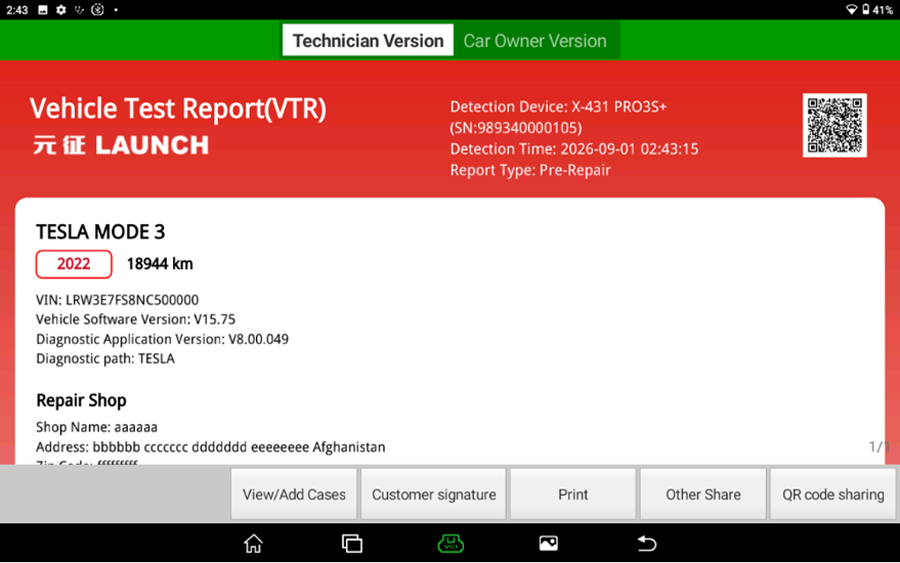
Powered by the LAUNCH AI large model, this upgraded feature automatically pairs the connector, retrieves the vehicle VIN, and runs a comprehensive full-system scan to generate a Vehicle Test Report (VTR). The VTR further enables AI-driven analysis of fault codes for deeper insights.
Smart Diagnosis (AI) – Roxie Workspace / AI Workbench
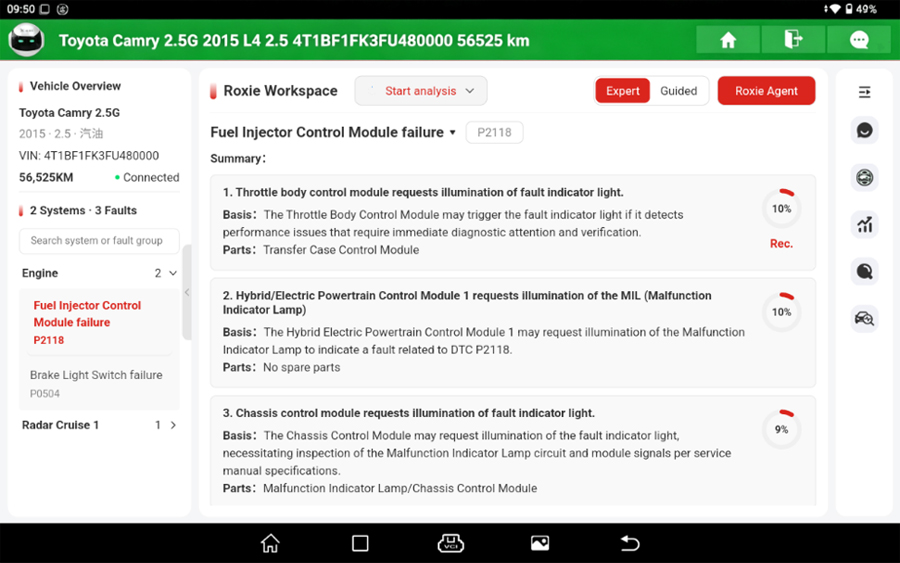
Once fault codes are scanned, the AI Workbench provides a suite of intelligent tools, including smart DTC grouping, root cause analysis, and step-by-step troubleshooting guidance along with repair solutions – all powered by AI analytics.
Appearance Inspection
Leveraging image analysis technology, simply take photos and upload them during the routine vehicle inspection process. The system automatically identifies exterior body damage such as scratches, dents, scuffs, and more, and generates a corresponding report automatically.
Diagnostic Function
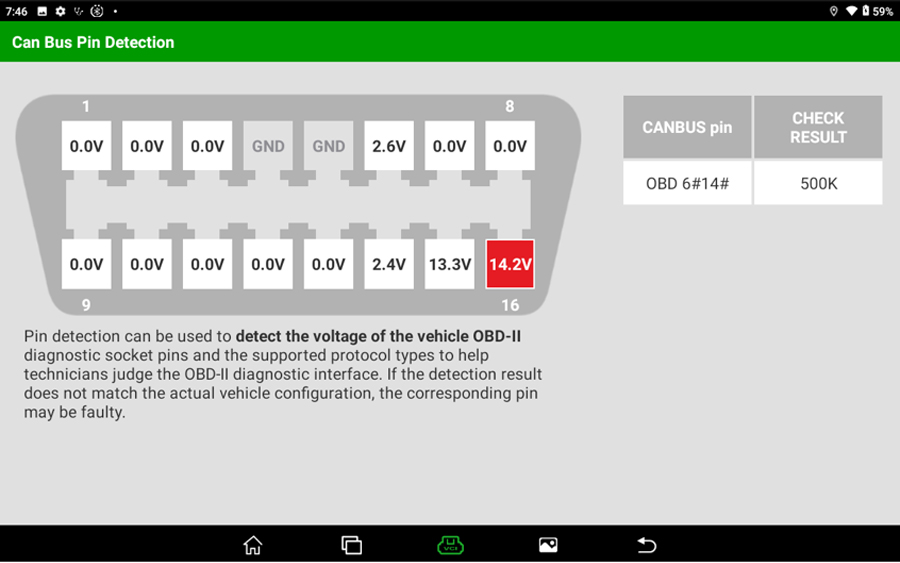
Can Bus Pin Detection
Detects the voltage of the OBD-II diagnostic connector pins and the supported protocol types, assisting in assessing the OBD-II diagnostic interface status.
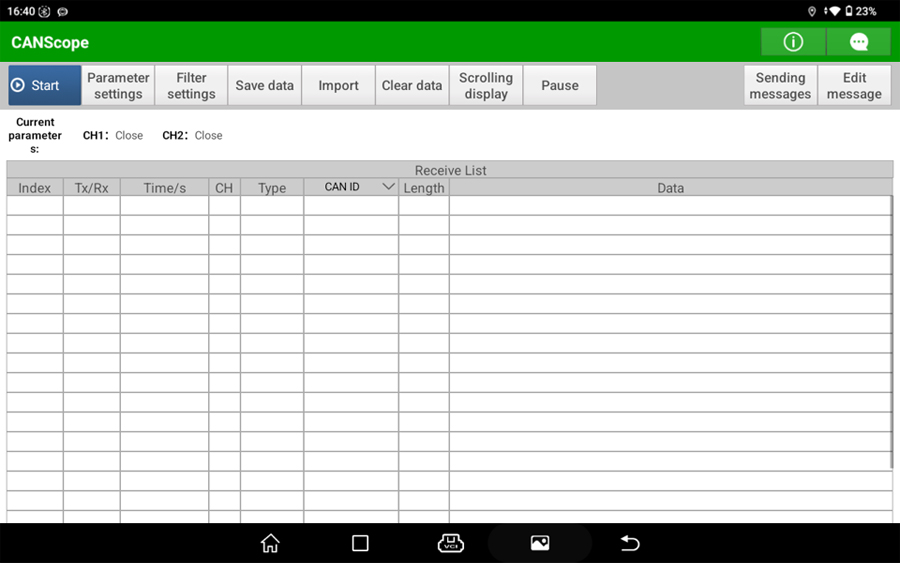
CANScope
Visually monitors vehicle CAN bus data, checks for issues within the CAN data, and assists in analyzing the root causes of faults.
Diagnostic Plan
Also known as fault-guided diagnostics, provides step-by-step prompts to assist in troubleshooting and fault detection.
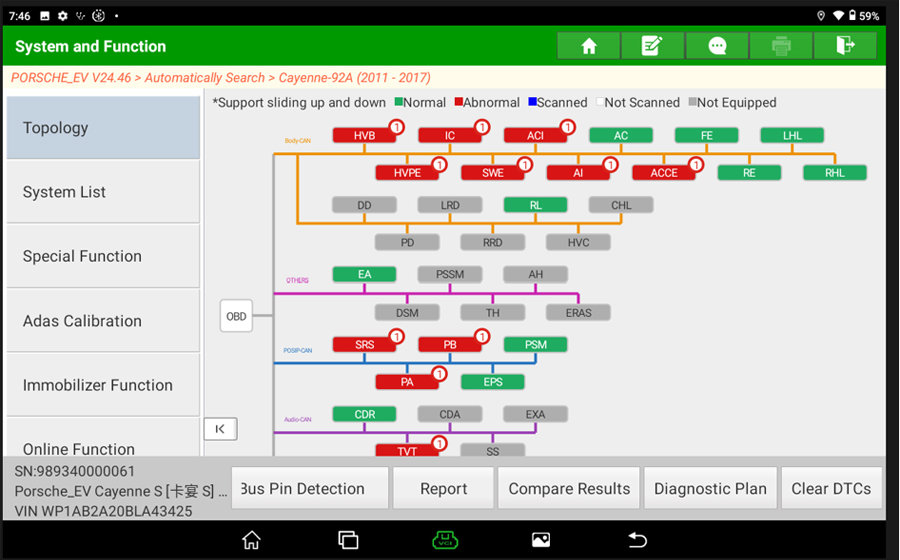
Topology Diagram
OEM-grade vehicle diagnostics that create a visual network topology, graphically illustrating the vehicle's ECU network structure. Communication status and fault codes are displayed at a glance, allowing quick troubleshooting of communication problems.
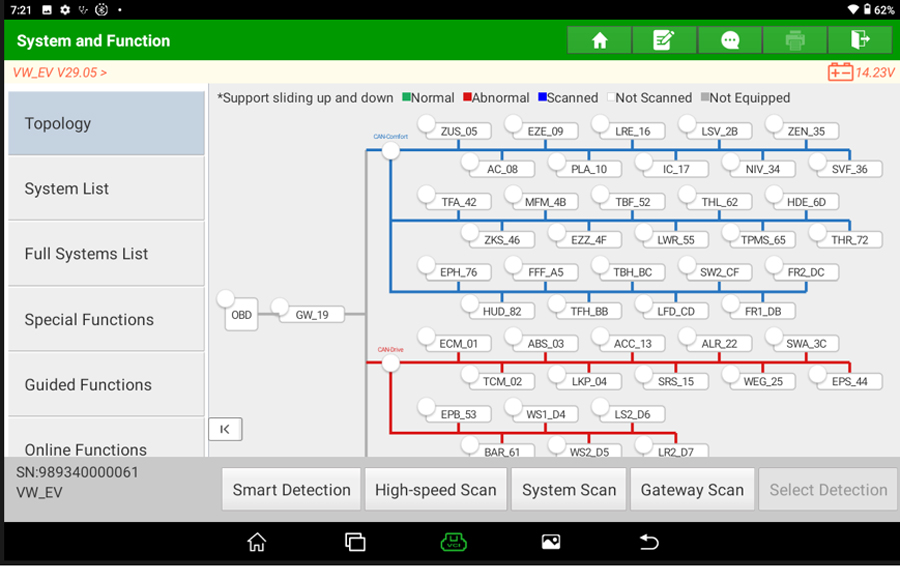
High-speed Scan
Multi-channel parallel scanning enables quicker diagnostics and repairs. Note: On supported vehicle models, the Fast Scan function is now incorporated into Smart Detection—simply click Smart Detection to initiate a High-speed Scan.
For VW/Audi Guided Functions (Corresponding passenger vehicle software required for purchase)
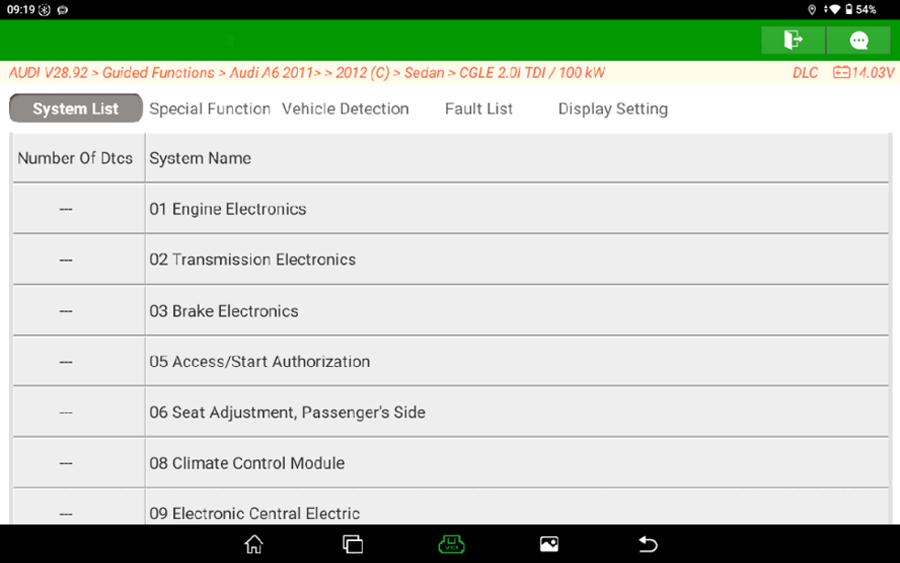
Features built-in standardized repair procedures that consolidate discrete operations—including security access, live data, coding, adaptation, basic settings, and fault diagnosis—into a fully automated, integrated workflow. The software autonomously validates preconditions, handles security login, and executes coding, adaptation, and configuration tasks. This prevents common manual mistakes like skipped steps, incorrect parameter entry, or out-of-sequence operations that often lead to function failure.
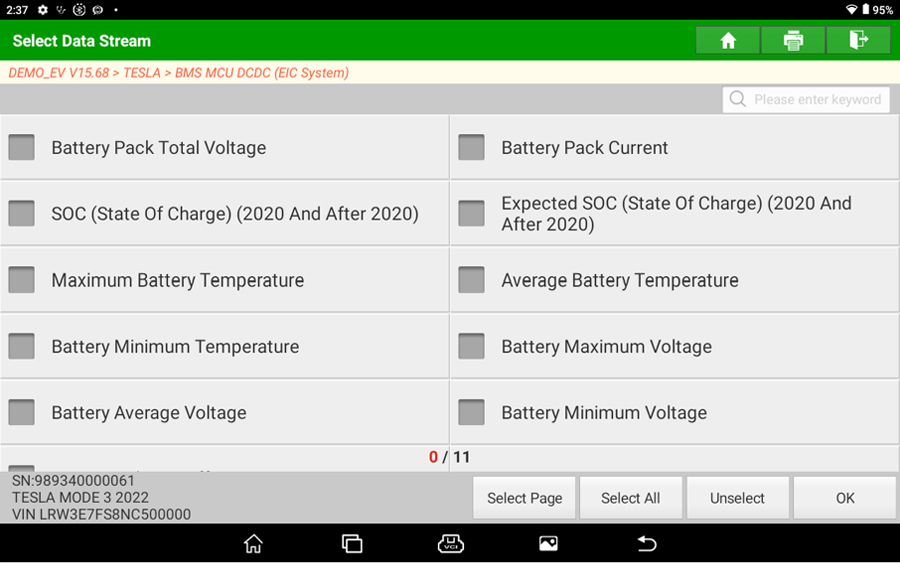
Data Stream
Supports one-click reading of data streams across all systems
Supports graphical visualization of data streams and combined data stream analysis
Supports data stream sample recording, data stream marking, and data stream playback
Product Specifications Comparison Between X-431 PRO3S+ V2 and X-431 PRO3S+
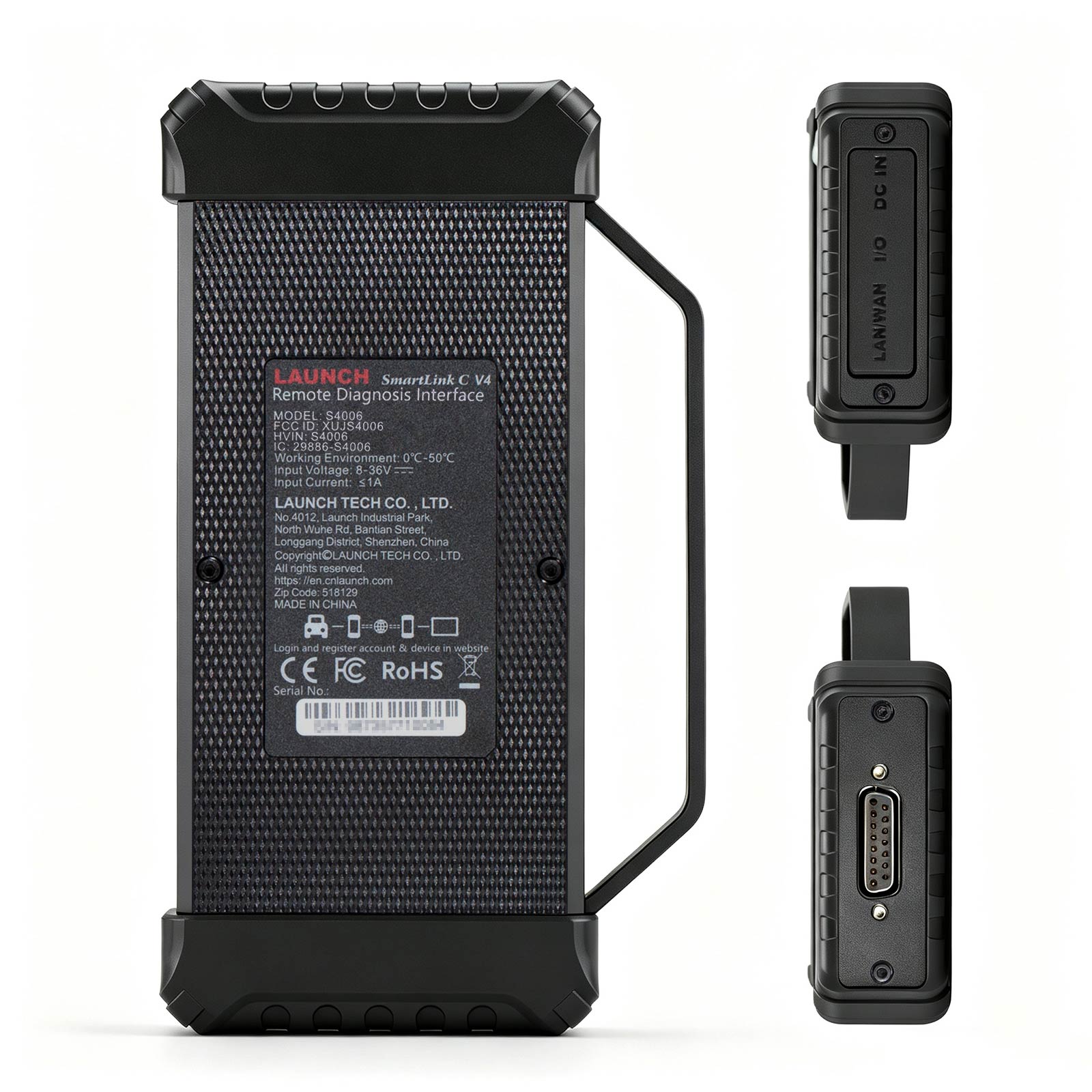
Product Specifications Comparison Between SmartLink C V2 and SmartLink C V4
| Model | X-431 PRO3S+ V2 | X-431 PRO3S+ |
| operating system | Android 15 | Android 10 |
| processor | Octa-core (2×2.0GHz+6×1.8GHz) | Quad-core 2.0GHz |
| RAM | 4GB | 4GB |
| ROM | 128GB | 64GB |
| screen | 10.1-inch (sunlight-readable Gorilla Glass screen) | 10.1-inch (sunlight-readable Gorilla Glass screen) |
| resolution | 1280*800 | 1280*800 |
| battery | 7.6V/6300mAh (supports 45W fast charging) | 7.6V/6300mAh |
| Wi-Fi | 2.4GHz/5GHz dual-band WiFi, supports WiFi 6 | 2.4GHz/5GHz dual frequency |
| BT | Bluetooth 5.1 dual-mode | Bluetooth 4.1 dual-mode |
| I/O | USB Type-A, USB Type-C | USB Type-A, USB Type-C |
| camera | Front camera: 5 MP Rear camera: 8 MP |
Rear camera: 8 MP |
| buttons | Power and X | Power |
Product Specifications Comparison Between SmartLink C V2 and SmartLink C V4
| SmartLink C V2 | SmartLink C V4 | |
| CPU | Single-core 528MHz | dual-core 1.7G |
| Working Voltage | DC 9V ~ 36V | DC 8V ~ 36V |
| Screen | 3.95 inches, 320*480 | 5 inches, 1280*720 |
| RAM | 256M | 1G |
| Storage | 8G | 8G |
| Communication | Local Diagnosis: WIFI/BT/USB SmartLink Remote Diagnosis: Wi‑Fi / Wired |
Local Diagnosis: WIFI/BT/USB SmartLink Remote Diagnosis: Wi‑Fi / Wired |
| WIFI | WIFI 5 | WIFI 6 |
| Bluetooth | BT4.2 | BT5.0 |
| I/O | DB15 male, USB-B, RJ45, DC IN | DB15 female, USB-B, RJ45, DC IN |
| Working Tenperature | 0℃ ~ 50℃ | 0℃ ~ 50℃ |
| Size | 200*47*110mm | 187.6*32.8*106mm |
| Weight | 0.55kg | 0.35kg |
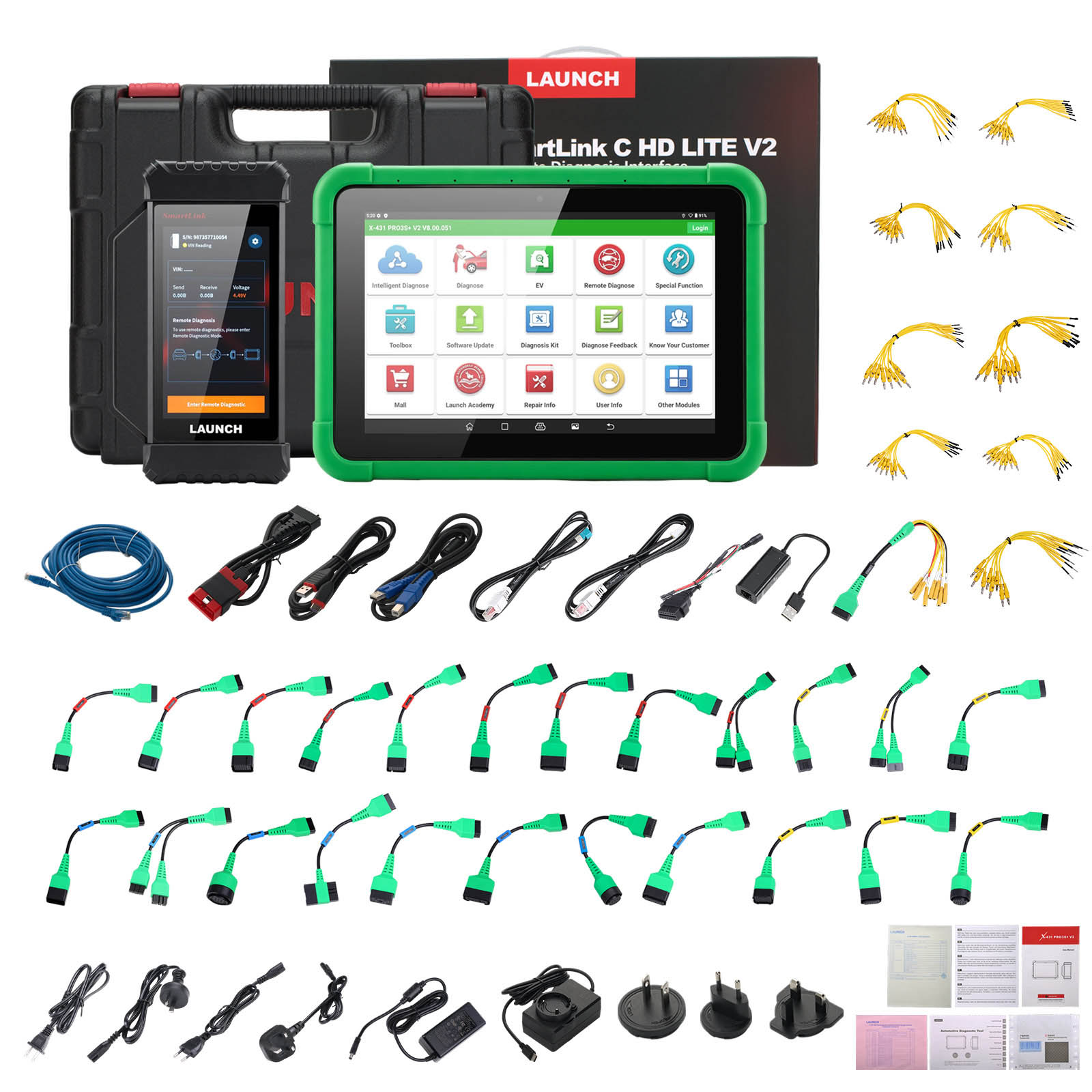
X-431 PRO3S+ V2 Package includes:
1pc x X-431 PRO3S+ V2 Host
1pc x SmartLink C diagnostic connector
1pc x Diagnostic cable
1pc x Power adapter body
1pc x US standard adapter plug
1pc x EU standard adapter plug
1pc x UK standard adapter plug
1pc x Password envelope
1pc x Type A to Type B data cable
1pc x Type A to Type C data cable
1pc x Crossover cable
1pc x Multilingual quick start guide
1pc x User manual
1pc x GPSR safety warning
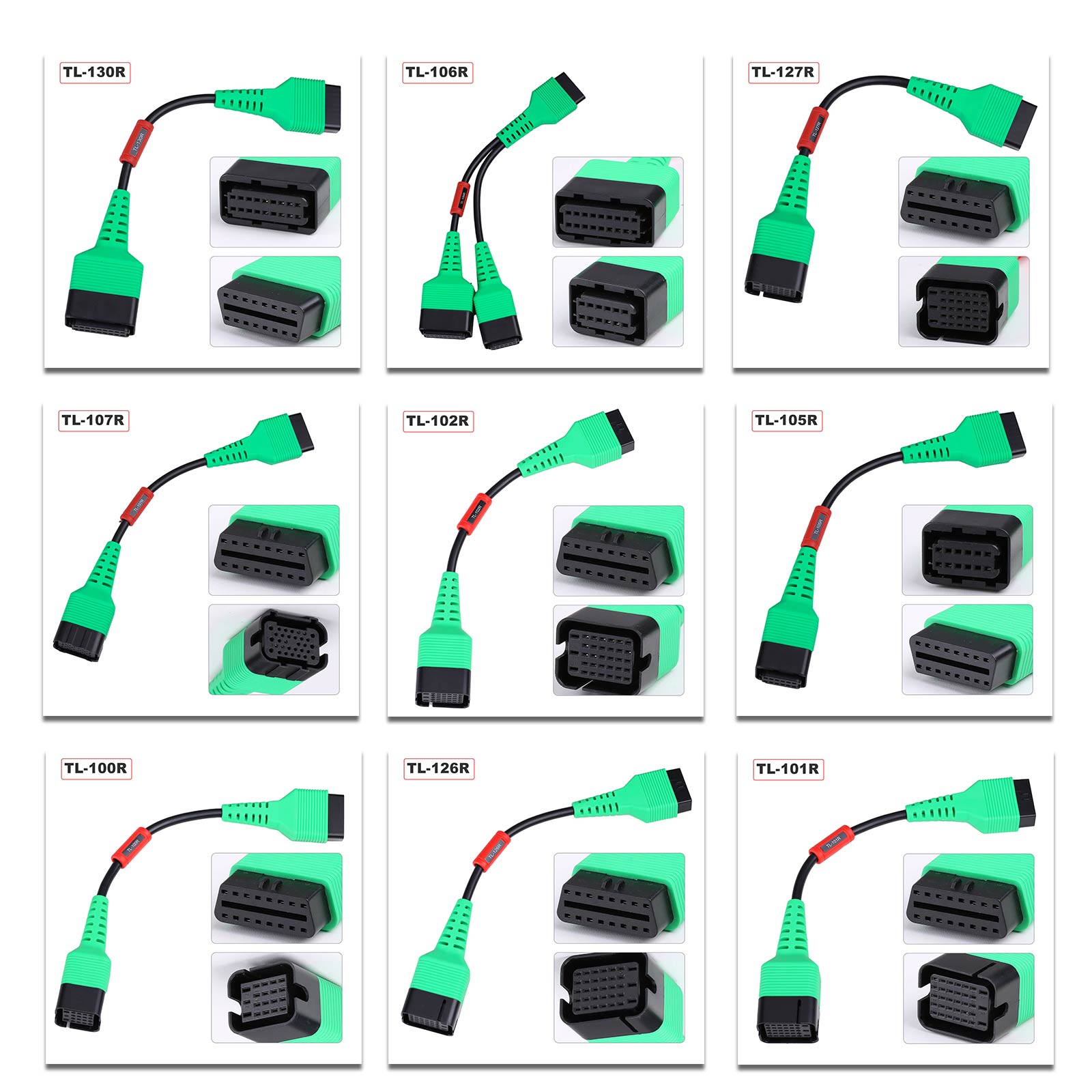
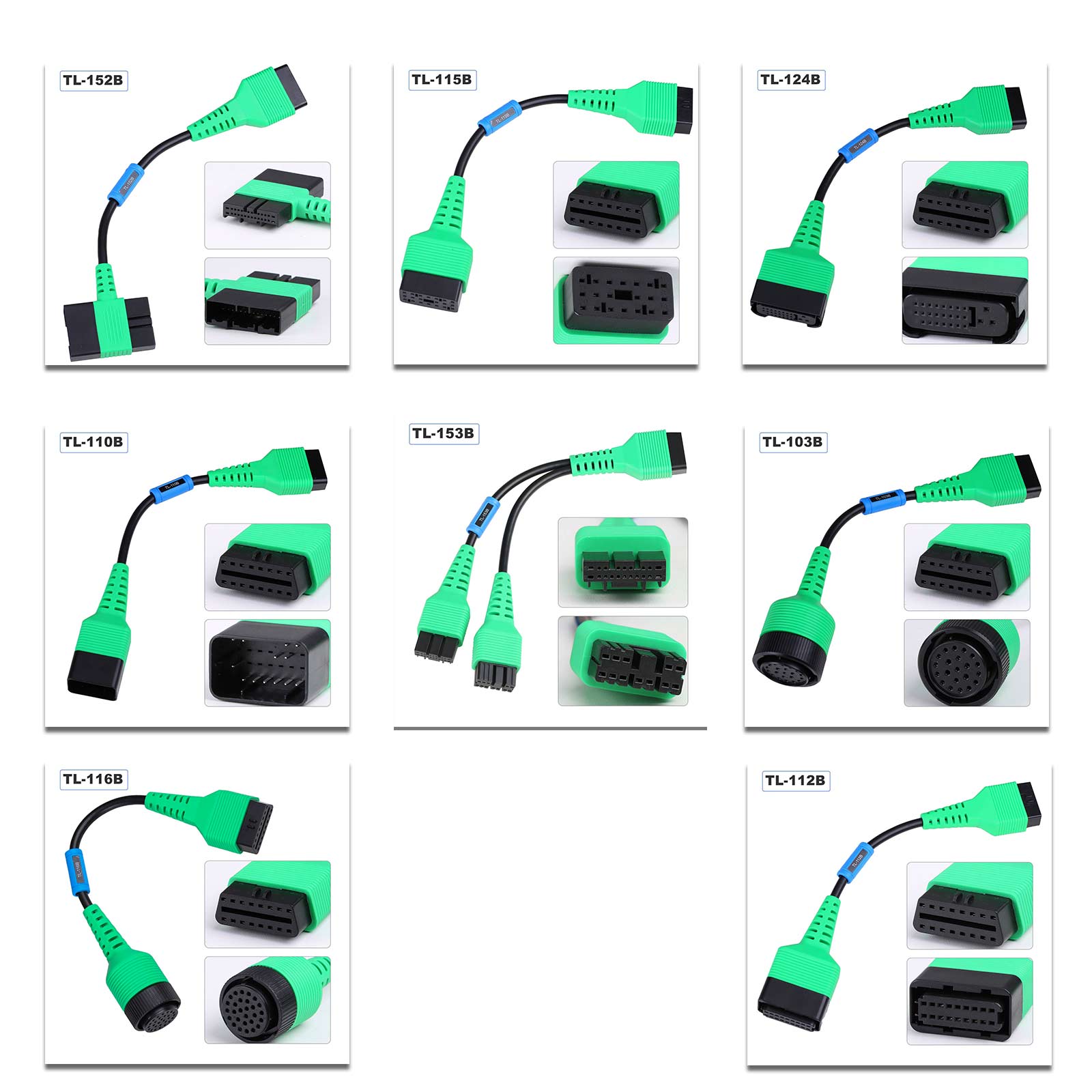
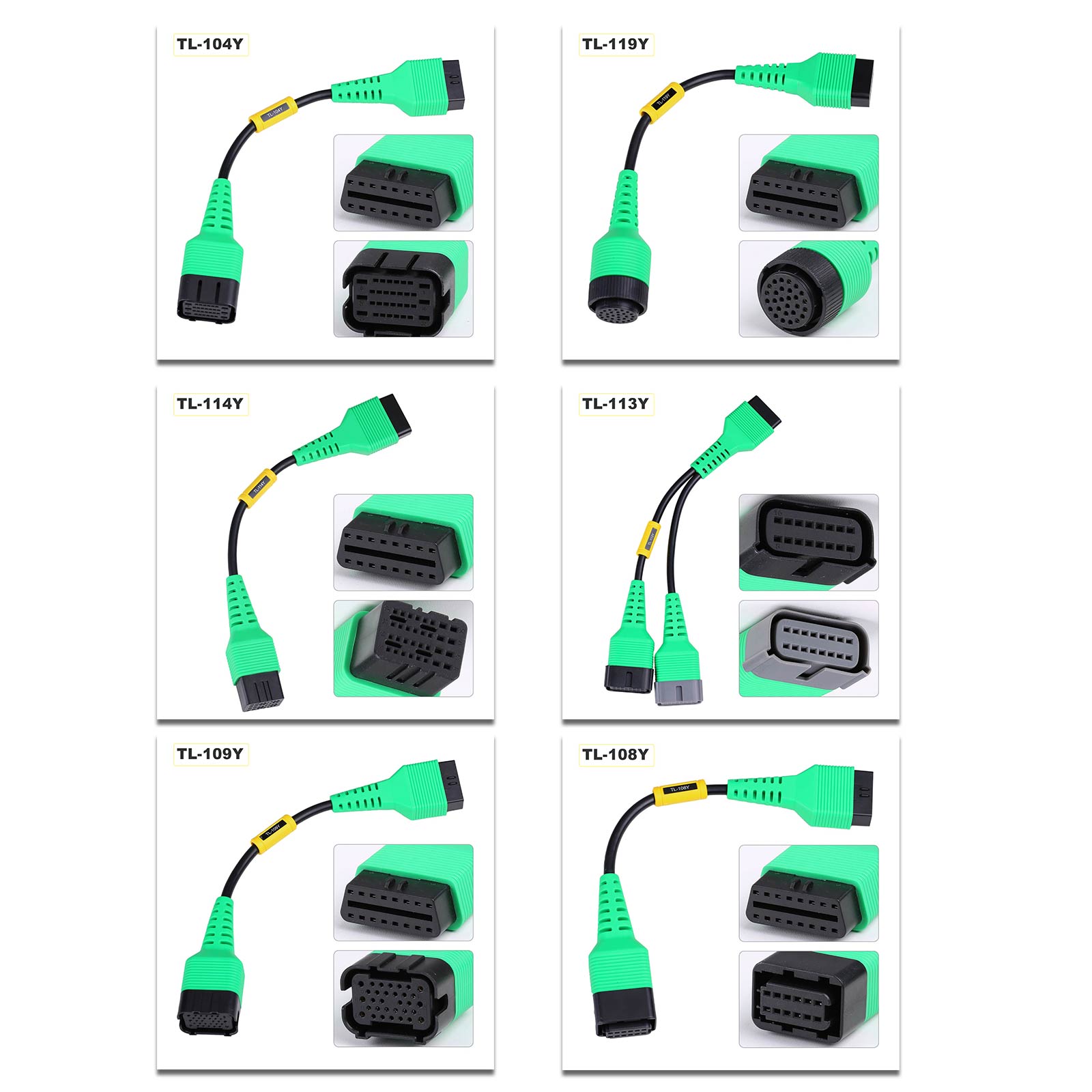
1pc x New Energy Non Standard Connector Package
New Energy Non Standard Connector Package Packing List
1pc x X431 EV Max battery pack detection 8pin diagnostic connector
1pc x Tesla airbag repair special connector
1pc x Battery pack test line 153(compatible with Tesla 12+20 connector
1pc x Battery pack test line 152
1pc x Battery pack test line 124
1pc x Battery pack test line 100
1pc x Battery pack test line 101
1pc x Battery pack test line 102
1pc x Battery pack test line 103
1pc x Battery pack test line 104
1pc x Battery pack test line 105
1pc x Battery pack test line 106
1pc x Battery pack test line 107
1pc x Battery pack test line 108
1pc x Battery pack test line 109
1pc x Battery pack test line 110
1pc x Battery pack test line 112
1pc x Battery pack test line 113
1pc x Battery pack test line 114
1pc x Battery pack test line 115
1pc x SmartLink C diagnostic connector
1pc x Diagnostic cable
1pc x Power adapter body
1pc x US standard adapter plug
1pc x EU standard adapter plug
1pc x UK standard adapter plug
1pc x Password envelope
1pc x Type A to Type B data cable
1pc x Type A to Type C data cable
1pc x Crossover cable
1pc x Multilingual quick start guide
1pc x User manual
1pc x GPSR safety warning
1pc x New Energy Non Standard Connector Package
New Energy Non Standard Connector Package Packing List
1pc x X431 EV Max battery pack detection 8pin diagnostic connector
1pc x Tesla airbag repair special connector
1pc x Battery pack test line 153(compatible with Tesla 12+20 connector
1pc x Battery pack test line 152
1pc x Battery pack test line 124
1pc x Battery pack test line 100
1pc x Battery pack test line 101
1pc x Battery pack test line 102
1pc x Battery pack test line 103
1pc x Battery pack test line 104
1pc x Battery pack test line 105
1pc x Battery pack test line 106
1pc x Battery pack test line 107
1pc x Battery pack test line 108
1pc x Battery pack test line 109
1pc x Battery pack test line 110
1pc x Battery pack test line 112
1pc x Battery pack test line 113
1pc x Battery pack test line 114
1pc x Battery pack test line 115


Hot Branded Products:










Shipping method and delivery time:
UK Shipping (No Tax) : 2-4 working days arrive. For products marked " UK Ship " and UK local customer
EU shipping (No Tax) : 5-7 working days arrive. For products marked " EU Ship " and from EU countries, if not belong to EU, need to clearance
Yodel (No Tax) : 5-7 days arrive . For products UK out of stock, and customers from UK
Yun Express ( No Tax) : 5 - 9 working days to UK, 7-14 days to other European Countries.
Yanwen (No Tax) : 5 - 9 working days to UK, 7-14 days to other European Countries, ship to all over the world, mainly for UK/EU warehouse no stock
DHL: need to clearance, 3-5 working days arrive. Used for UK/EU no stock, customers request ship this way. Need to clearance, we will declare a low price on the invoice help to clearance.
If you have any questions about the device, the price, or the payment, please feel free to contact us.
Contact Person: Elyza
Whatsapp: +86 13983755934
Telephone: +86 13983755934
Wechat: +86 13983755934
Official Email: Sales@obd2shop.co.uk